 EN
 IT Italiano
 ES Español
 FR Français
 DE Deutsch
Description
What it is
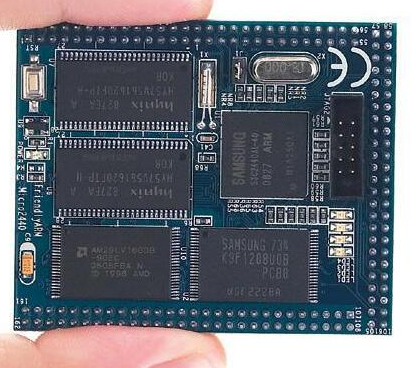
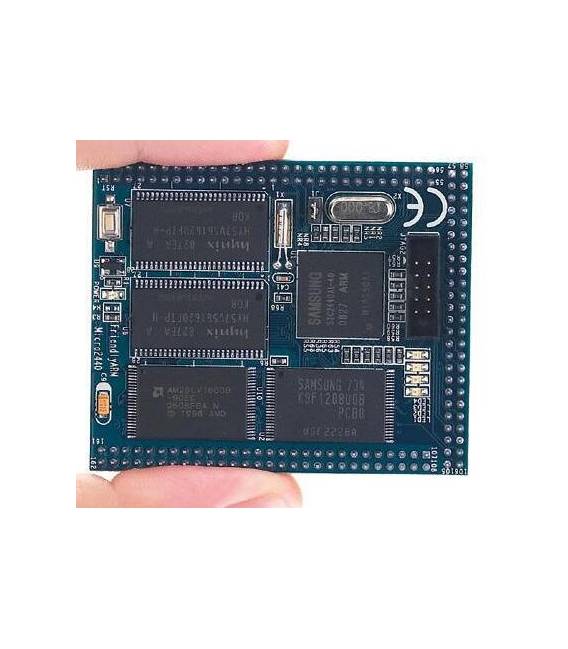
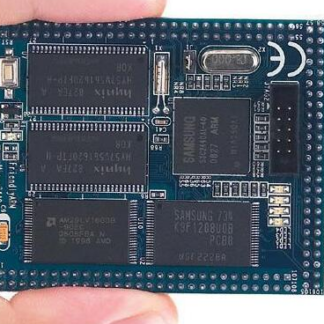
The Micro2440 ARM S3C2440 development board is a printed circuit board with a core based on the S3C2440 processor and a 256 MB NAND flash memory. It is designed for hardware development and the creation of embedded system prototypes.
Features
- Core based on the S3C2440 processor
- 256 MB NAND flash memory (AR256M)
What it is for
The Micro2440 board is ideal for designers and makers who want to explore embedded systems. It can be used to create embedded applications that read data from sensors and transmit it to a computer via USB. Compatibility with Arduino or ESP is not specified.
Tutorial: How to Use Micro2440 ARM S3C2440 Core Board
The Micro2440 development board is ideal for programming and electronics enthusiasts who want to explore embedded systems. With a wide range of features, this board offers a complete development platform based on the S3C2440 processor.
What you need
- Computer with Windows/Linux/MacOS operating system
- USB connection
- Compatible development software
Steps
- Check for the necessary driver for the USB connector on the computer.
- Connect the Micro2440 board to the computer via the USB connector.
- Open the development IDE and select the correct programming board.
- Load a sample sketch to verify that everything works correctly.
- Check the datasheet for the specifications of the integrated NandFlash to configure it correctly.
- Explore additional features of the board, such as the GPIO pins and RAM memory.
- Try to create a simple project that uses the S3C2440 microprocessor.
- Test your project with various sensors and input/output devices to integrate them.
Mini project
Create a small embedded application that reads data from a sensor and sends it to the computer via the USB connection.
Common mistakes
- Not recognized by the operating system.
- Synchronization issues between the development IDE and the microprocessor.
- Error during the loading of the sketch onto NandFlash.
- Difficulty integrating external sensors with the Micro2440 board.
Recommended accessories
- Various sensors
- USB power supply
- LCD display
- SD memory
Frequently asked questions
What processor is used?
The S3C2440 processor.
How much RAM does the board have?
Check the datasheet.
Reviews
There are no reviews yet.