 EN
 IT Italiano
 ES Español
 FR Français
 DE Deutsch
Description
What it is
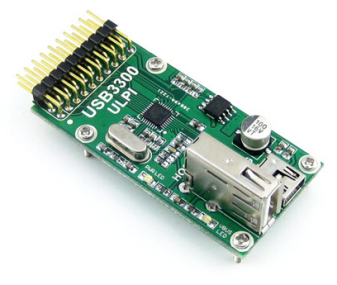
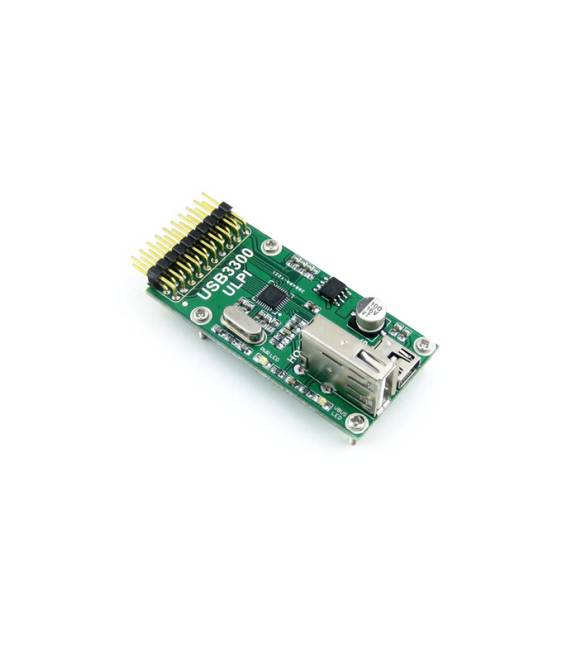
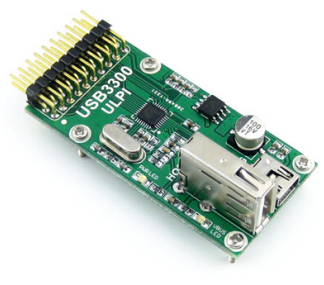
The USB3300 Host OTG PHY is an integrated evaluation module for Arduino that simplifies USB connectivity on advanced projects.
Features
- USB Host Connection
- OTG (On-The-Go) Compatibility
- PHY (Physical Layer) MIC2075-1BM
- ULPI (Ultra Low Pin Count Interface) Protocol
What it is for
The module allows the creation of USB Host devices on Arduino, ideal for projects requiring USB connectivity. It can be used to test and develop USB connectivity on Arduino devices. Examples of use include creating a USB Host device that detects a mouse and displays movements on the serial monitor.
Tutorial: How to Use USB3300 USB HS Board Host OTG PHY Low Pin ULPI MIC2075-1BM Kit
This module allows you to create USB Host devices on Arduino, ideal for projects requiring USB connectivity. Useful for beginner and intermediate makers.
What you need
- Arduino UNO or compatible
- USB A-B cable
- USB Microcontroller
- Check the datasheet for detailed specifications
Steps
- 1. Mount the USB3300 on Arduino UNO using the pins specified in the datasheet.
- 2. Connect the USB A-B cable to the USB3300.
- 3. Load the provided Arduino code.
- 4. Verify USB connectivity using a USB device.
- 5. Add a USB microcontroller as a test device.
- 6. Configure serial communication to monitor data.
- 7. Test the OTG Host functionality.
- 8. Check system stability.
Example code
Serial.begin(9600); USBHost.begin();Mini project
Create a USB Host device that detects a mouse and displays movements on the serial monitor.
Common mistakes
- Do not correctly connect the USB3300 pins.
- Omit checking the datasheet.
- Do not use a compatible USB A-A cable.
- Ignore serial communication configuration.
Recommended accessories
- USB Mouse
- USB A-A cable
- Arduino IDE
- Serial Monitor
Frequently asked questions
Which pins to use for USB3300?
Check the datasheet for specific pins.
Can I use Arduino Nano?
Check compatibility on the datasheet.
What are the minimum requirements for the USB microcontroller?
Check the datasheet for detailed specifications.
Does the module support only USB Host devices?
Check the datasheet for further details.
Reviews
There are no reviews yet.