 EN
 IT Italiano
 ES Español
 FR Français
 DE Deutsch
Description
What it is
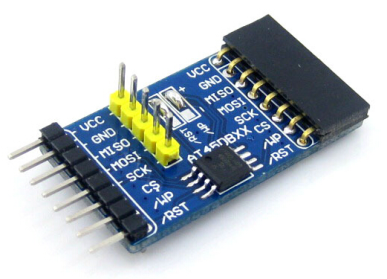
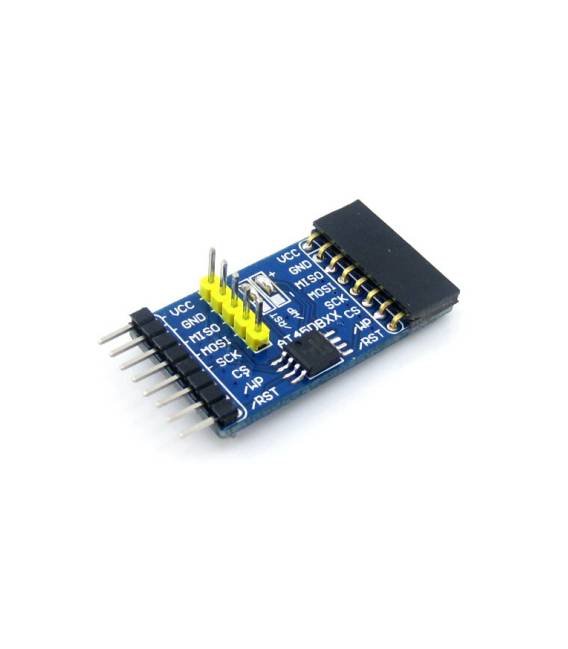
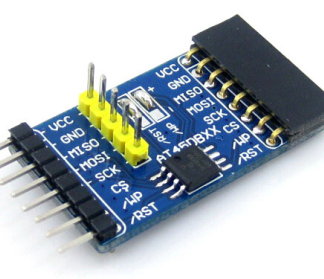
The AT45DB041 Flash Storage Module is a memory flash device ideal for Arduino-based projects. It allows permanent data storage, offering a reliable solution for configuration, log, or other important data archiving.
Features
- Memory Type: Flash
- Model: AT45DB041
- Capacity: 4 Mbit (512 Kb)
- Interface: SPI
What it is for
The module is particularly useful for IoT and robotics projects where persistent data storage is required. For example, it can be used to:
- Create a stopwatch that saves and retrieves the current time
- Store device configurations
- Save event or sensor logs
The module is compatible with Arduino and other microcontrollers that support the SPI interface.
Tutorial: How to use the AT45DB041 Flash Storage Module
The AT45DB041 Flash Storage Module is ideal for those who want to save and retrieve data on an Arduino project. Useful for storing configurations or logs.
What you need
- Arduino UNO or compatible
- USB cable
- Soldering iron and pin headers (optional)
- Arduino IDE software
Steps
- 1. Installation: Download and install the Arduino IDE.
- 2. Connection: Connect the Arduino to the computer.
- 3. Loading: Load the code onto the Arduino.
- 4. Module installation: Connect the module to the Arduino via pin headers.
- 5. Check the datasheet: Verify the necessary pins.
- 6. Coding: Create a sketch file to read and write.
- 7. Testing: Run the code to verify functionality.
- 8. Saving: Save data to the module.
Example code
```cpp
#include <SPI.h>
#include <Wire.h>
#include <AT45DB041.h>

AT45DB041 flash;

void setup() {
  Serial.begin(9600);
  flash.begin();
}

void loop() {
  flash.write(0, "Hello, World!");
  Serial.println(flash.read(0));
}
```
Mini project
Create a stopwatch that saves and retrieves the current time.
Common mistakes
- Forget to load the code onto the Arduino.
- Connect the wrong pins on the module.
- Fail to verify power requirements.
- Omit the installation of the SPI driver.
Recommended accessories
- Arduino UNO
- Pin headers
- USB cable
- Arduino IDE software
Frequently asked questions
How can I check the available memory?
Check the datasheet or use the command `flash.getCapacity()`.
Which pins should I use for the module?
Check the datasheet for the required pins.
What are the power requirements?
Check the datasheet for power requirements.
Can I use other Arduinos?
Yes, but make sure they support SPI.
Reviews
There are no reviews yet.