 EN
 IT Italiano
 ES Español
 FR Français
 DE Deutsch
Description
What it is
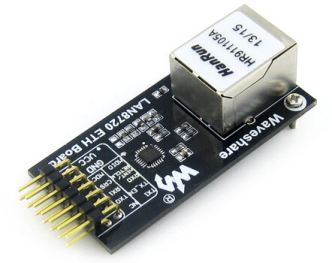
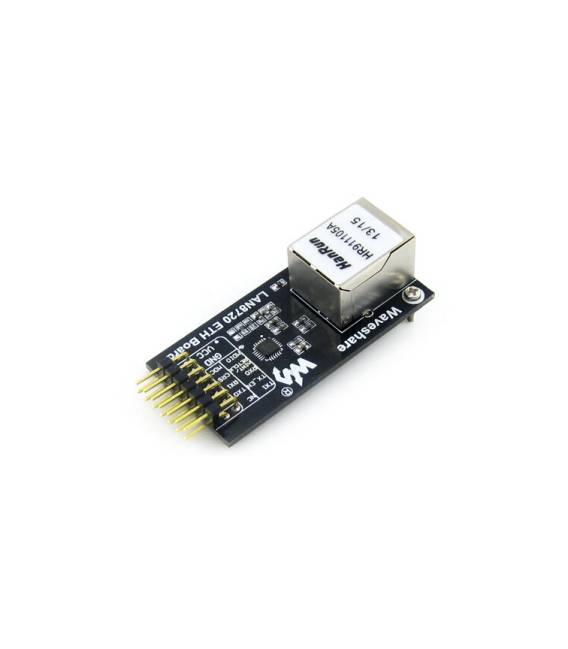
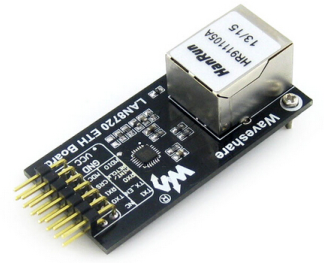
The ETH LAN8720 board is an Ethernet module that allows you to add a network connection to your Arduino project. This component includes the LAN8720 chip, a PHY (Physical Layer Interface) for converting Ethernet data to physical layer.
Features
- ETH LAN8720 10/100 Mbps Ethernet Board
- Ethernet PHY Transceiver
- Development module for Arduino projects requiring network connectivity
What it is for
It is used to create projects with Ethernet connectivity, such as simple web servers or any other type of application that requires an internet connection. It is compatible with Arduino and can be used by beginners and intermediates.
Tutorial: How to use ETH LAN8720
The ETH LAN8720 module is an essential component for connecting your Arduino project to the internet. Useful for beginners and intermediates, it is perfect for projects that require Ethernet connectivity.
What you need
- Arduino Uno or compatible
- RJ45 cable
- PC for initial setup
Steps
- 1. Check the datasheet for your Arduino specifications.
- 2. Connect the ETH LAN8720 module to your Arduino with power and data cables.
- 3. Download and install the latest version of Ethernet.h in Arduino IDE.
- 4. Create a new sketch in Arduino IDE.
- 5. Include the Ethernet library: `#include
` - 6. Define variables for your MAC address and IP.
- 7. Connect the module to your network: `Ethernet.begin(mac, ip);`
- 8. Check the connection with `Ethernet.status()`.
Example code
```cpp
#include <Ethernet.h>

byte mac[] = { 0xDE, 0xAD, 0xBE, 0xEF, 0xFE, 0xED };
byte ip[] = { 192, 168, 1, 177 };

void setup() {
  Ethernet.begin(mac, ip);
  Serial.begin(9600);
  while (Ethernet.status() != Ethernet.linked()) {
    delay(1000);
    Serial.println("Waiting for Ethernet link...");
  }
  Serial.println("Connected.");
}
void loop() {}```
Mini project
Create a simple web server with the ETH LAN8720 module to display the name of your project.
Common mistakes
- Forgetting to connect the pins correctly.
- Setting the MAC address and IP correctly.
- Not having the Ethernet.h library installed.
- Not having a stable Ethernet connection.
Recommended accessories
- Arduino Uno
- RJ45 cable
- PC for initial setup
Frequently asked questions
How to set up the MAC address correctly?
Check the datasheet or the manufacturer’s website to obtain the correct MAC address.
Why doesn’t it connect?
Check your network configuration and the MAC address.
Which pins do I use?
Check the datasheet for power and data pins.

Reviews
There are no reviews yet.