 EN
 IT Italiano
 ES Español
 FR Français
 DE Deutsch
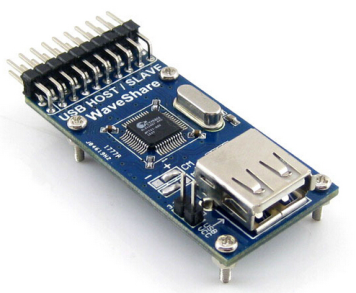
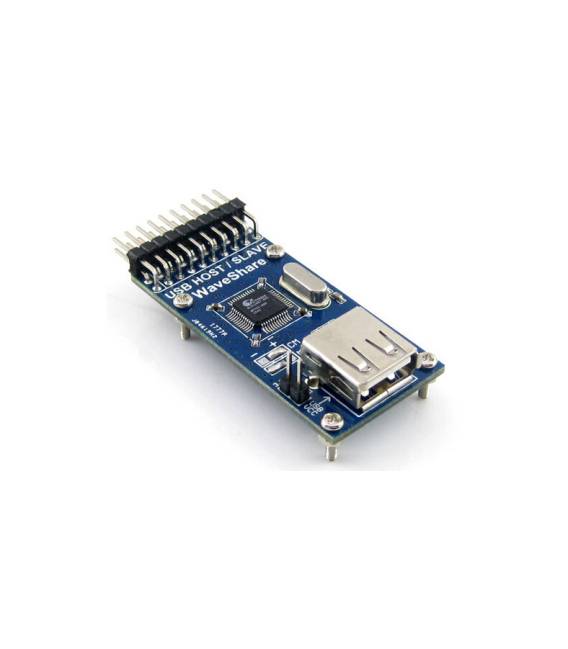
Description
What it is
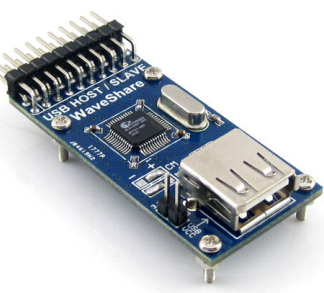
The USB SL811 Development Board allows the creation of USB devices in both host and slave modes. It is ideal for projects requiring the interfacing of USB devices such as keyboards, mice, or other input/output devices.
Features
- Name: SL811HST-AXC SL811HS
- SKU: ARD009359
- Price: 13.52 €
- Type: Development Module
- Function: Host/Slave
What it is for
The USB SL811 Development Board can be used to create USB slave devices that communicate with a computer to send data such as temperature and humidity readings from sensors. It is compatible with Arduino projects.
Tutorial: How to Use USB SL811 HS Development Board
The USB SL811 HS Development Board allows the creation of USB devices in both host and slave modes. Ideal for projects requiring the interfacing of USB devices such as keyboards, mice, or other input/output devices.
What you need
- USB SL811 HS Development Board
- Computer with USB port
- Arduino or compatible microcontroller
- USB A-Male to Micro USB cable
Steps
- Connect the USB SL811 HS module to the computer via a USB A-Male to Micro USB cable.
- Install the necessary library for the SL811 HS module in the Arduino software.
- Configure the module in host or slave mode based on the project requirements.
- Write the Arduino sketch to control the SL811 HS module.
- Check the datasheet for specific configuration and connection details.
- Test the device connected to the SL811 HS module.
- Check the datasheet for any necessary adjustments.
- Upload the sketch code to the microcontroller and test the project functionality.
Example code
/* Esempio di codice Arduino per il modulo SL811 HS */
#include <USBHost_tiny.h>

void setup() {
  Serial.begin(9600);
  USBHost.init();
}

void loop() {
  USBHost.Task();
}
Mini project
Create a USB slave device that communicates with a computer to send data such as temperature and humidity readings from sensors.
Common mistakes
- If the USB SL811 HS module is not recognized, check the connection and the library.
- Configuration issues in host or slave mode, check the datasheet.
- Arduino sketch compilation error, check the library and parameters.
- Communication problems with the connected device, check the SL811 HS module configuration.
Recommended accessories
- Temperature and humidity sensors
- LCD display
- USB power supply
- USB A-Male to Micro USB cable
Frequently asked questions
What is the difference between host and slave mode?
In host mode, the SL811 HS module acts as a computer to manage USB devices, while in slave mode it is managed by another USB device.
How can I update the library for the SL811 HS module?
Update the USBHost_tiny library from the Arduino library manager.
Does the SL811 HS module only support specific devices?
Check the datasheet for USB device compatibility.
Reviews
There are no reviews yet.