 EN
 IT Italiano
 ES Español
 FR Français
 DE Deutsch
Description
What it is
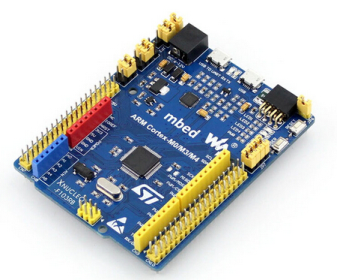
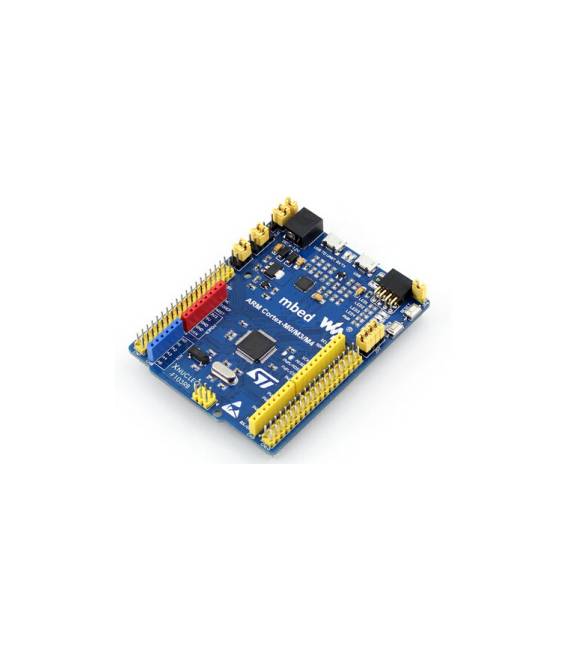
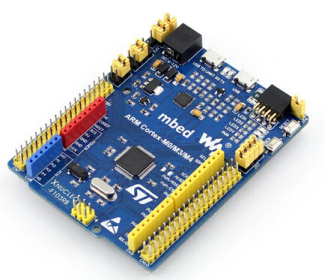
The STM32 Nucleo XNUCLEO-F103RB development board is a complete platform for designing and testing embedded applications based on the STM32F103RBT6 microcontroller. This board offers an ideal environment for developers who want to explore the capabilities of the STM32F103 family, allowing the creation of innovative embedded solutions.
Features
- Development board based on STM32F103RBT6 microcontroller
- USB connectivity for debugging and programming
- Multiple I/O interfaces for interconnection with other devices
What it is for
The STM32 Nucleo XNUCLEO-F103RB development board is ideal for advanced projects and prototypes in the embedded field. It is suitable for both beginner and expert developers, offering a complete environment for creating innovative applications.
Tutorial: How to use STM32 Nucleo XNUCLEO-F103RB Development Board
The STM32 Nucleo XNUCLEO-F103RB development board is ideal for developers looking to explore the capabilities of the STM32F103RBT6 family. This board offers a complete environment for designing and testing embedded applications, with USB connectivity and multiple I/O interfaces. It is suitable for both beginner and expert developers who want to create innovative embedded solutions.
What you need
- Computers with Windows, Linux, or macOS operating systems
- Micro-USB cable
- Compatible development IDE (e.g., STM32CubeMX)
- Microcontroller programming software
Steps
- Install the compatible development IDE (e.g., STM32CubeMX) on your computer.
- Connect the Nucleo XNUCLEO-F103RB board to your computer using a micro-USB cable.
- Configure the project in the development software, selecting the correct architecture and board features.
- Compile the code generated by the configuration software.
- Load the code onto the STM32F103RBT6 using USB connectivity.
- Check that the application behaves as expected by monitoring the outputs with an oscilloscope or multimeter.
Mini project
[“Design and implement a small RGB lighting application controlled by the STM32F103RBT6 microcontroller. Use the GPIO pins to manage three RGB LEDs connected to the SDM.”, ‘Configure the internal timer of the microcontroller to create gradual lighting effects and color changes.’, ‘Test your application with an oscilloscope or multimeter to ensure that the GPIO commands are correct.’]
Common mistakes
- I am unable to load the code onto the microcontroller
- The LED does not light up as expected
- Internal timer configuration error
- USB connectivity issues
Recommended accessories
- Digital Oscilloscope
- Digital Multimeter
- Set of connectors and test leads
- 3D Printer to create custom support
Frequently asked questions
Which IDEs are compatible with the XNUCLEO-F103RB board?
Use software such as STM32CubeMX, Atollic TrueSTUDIO or Keil uVision.
How can I access the reference documents for this board?
Download the datasheet and documentation for the STM32F103RBT6 microcontroller from the STMicroelectronics website.
Reviews
There are no reviews yet.