 EN
 IT Italiano
 ES Español
 FR Français
 DE Deutsch
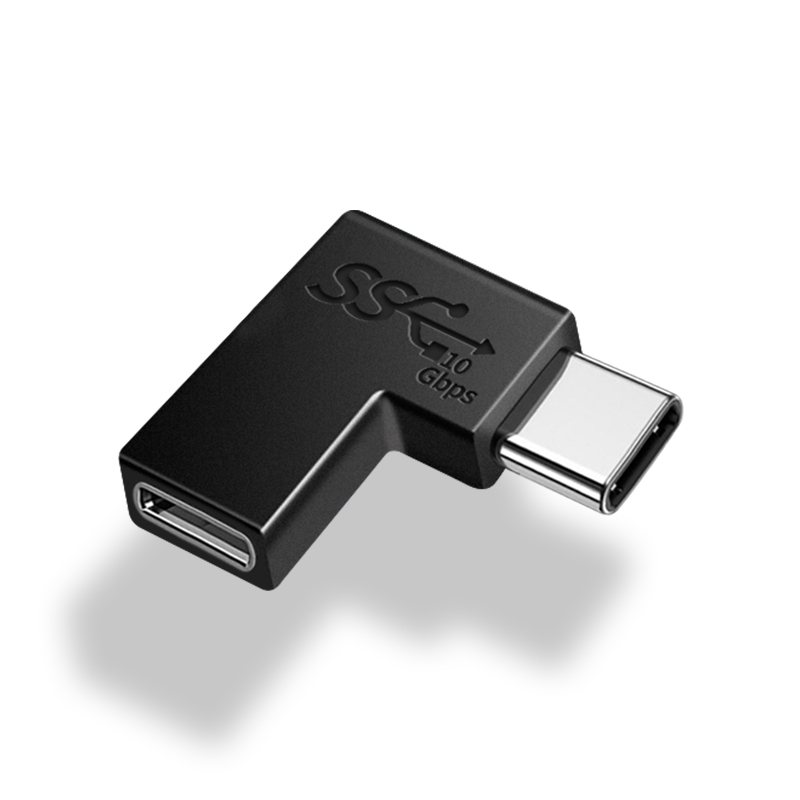
Description
Tutorial: How to Use USB Type C to Type L Cable with Side Bend
This USB Type C to Type L cable with side bend allows you to connect devices with different USB connectors. Ideal for anyone who needs to connect a device with a USB Type C connector to another with a Type L connector.
What you need
- device with USB Type C connector
- device with USB Type L connector
- sewing scissors or scissors (if needed for maintenance)
- electrical tape (optional to protect the connectors)
Steps
- Check that both devices have the corresponding USB connectors: Type C and Type L.
- Gently insert the cable into the Type C connector of the first device.
- Insert the bent side of the cable into the Type L connector of the second device.
- Check that the cable is securely inserted into both connectors and that there are no exposed parts.
- If necessary, use electrical tape to protect the connectors.
- Check that the connection works properly by verifying data transfer or charge.
- If the cable is damaged, check the specifications on the datasheet to replace it correctly.
Mini project
Connect a smartphone with USB Type-C connector to a 3D printer with Type L connector to transfer print files.
Common mistakes
- Inserting the cable into the wrong connector
- Damaged connector during insertion
- Unstable connection due to exposed parts
- Using a cable with incompatible specifications
Recommended accessories
- Sewing machine (ARD0000123)
- Scissors (ARD0000124)
- Electrical tape (ARD0000125)
- Electronic maintenance kit (ARD0000126)
Frequently asked questions
The cable comes loose easily.
Ensure it is securely inserted into the connectors and consider using electrical tape to protect it.
I can’t connect my device.
Check that the connector is compatible and review the specifications on the datasheet.

Reviews
There are no reviews yet.