 EN
 IT Italiano
 ES Español
 FR Français
 DE Deutsch
Description
What it is
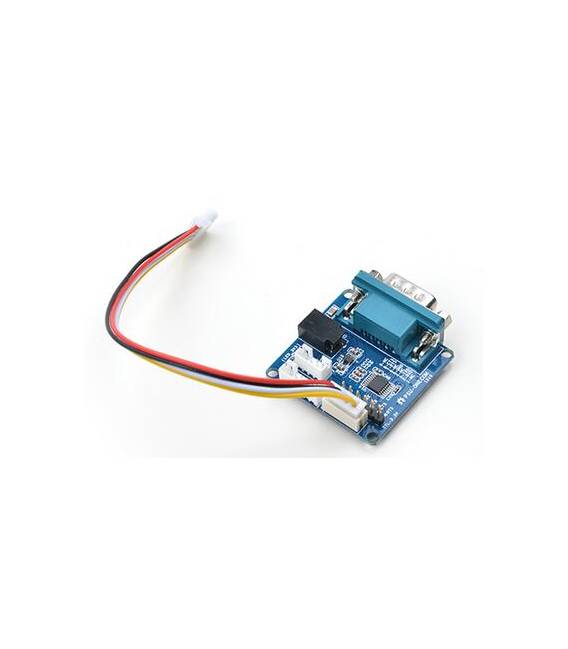
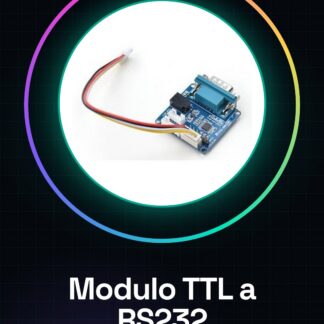
The PSU-ONECOM TTL to RS232 module allows connecting devices that use the RS232 protocol to electronic boards like Arduino which operate with TTL logic levels.
Features
- TTL to RS232 Conversion
- SKU: ARD0010099
- Price: 7.97 €
- Categories: Converters, Protocol
What it is for
This module is useful for connecting microcontrollers like Arduino to legacy systems or other devices that use the RS232 protocol. Example use: creating a remote monitoring system with Arduino that sends RS232 data to a computer for logging and analysis.
Tutorial: How to Use TTL to RS232 Module
The TTL to RS232 module is a fundamental device for projects that require serial communication between devices with different logic level standards. It is ideal for beginners and intermediate makers who want to connect microcontrollers like Arduino to legacy systems or other RS232 devices.
What you need
- Arduino Uno
- USB A-MicroB cable
- PC with RS232 port (DB9)
Steps
- Connect the TTL to RS232 module to the Arduino using the TX, RX and GND pins as indicated in the datasheet.
- Check the proper power supply of the module. If necessary, connect the 5V power adapter to the module.
- Open Arduino IDE and upload a test sketch that sends serial data (e.g., Serial.println()).
- Use software like PuTTY or Tera Term to establish an RS232 connection with the PC.
- Configure the serial port in the PC software to match the module and Arduino configuration.
- Check that data sent from the Arduino is received by the PC and vice versa.
Example code
void setup() {
  Serial.begin(9600);
}

void loop() {
  Serial.println("Messaggio di prova");
}
Mini project
Create a remote monitoring system with Arduino that sends RS232 data to a computer for logging and analysis.
Common mistakes
- Serial port configuration error
- Unstable physical connection
- Incorrect logic level between Arduino and module
Recommended accessories
- DB9M-DB9F cable
- 5V power supply
- Arduino Nano
Frequently asked questions
What is the maximum transmission speed?
Check the module datasheet.
Can I use this module with Raspberry Pi?
Yes, but a logic level converter may be necessary for the GPIO pins.
Reviews
There are no reviews yet.