 EN
 IT Italiano
 ES Español
 FR Français
 DE Deutsch
Description
What it is
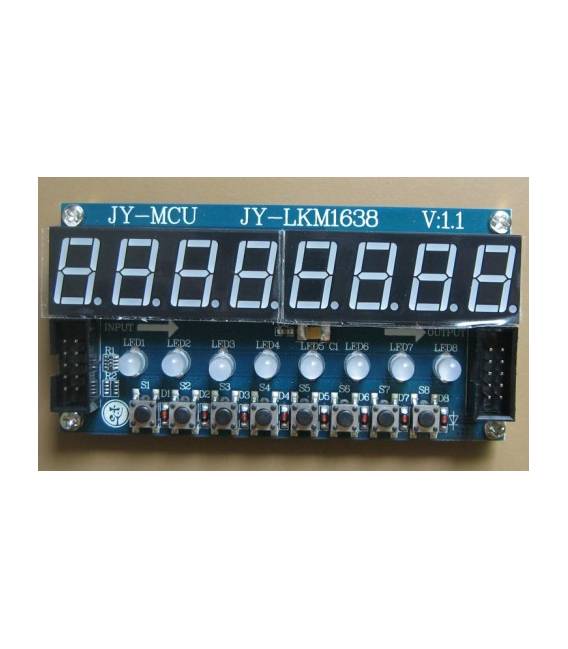
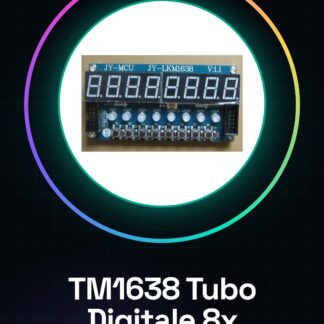
The TM1638 Digital Tube 8x is a multi-platform LED module designed to display data clearly and legibly. This device integrates digital tube displays, buttons, and multi-color LEDs on a single board.
Features
- 8x Digital Tubes
- Green light for digital tubes
- Integrated 8X buttons
- 8X dual-color LEDs
What it is for
The TM1638 is ideal for projects that require the display of numbers, letters, and symbols. It can be used with Arduino or ESP32/ESP8266 to create counters, status displays, timers, and more.
Tutorial: How to use TM1638 Digital Tube 8x
The TM1638 Digital Tube 8x is an LED module ideal for displaying numbers, letters, and symbols on 8 LED displays. Useful for control and variable display projects.
What you need
- Arduino
- Power cable
- Soldering iron and wire
- Resistor (10kΩ)
Steps
- 1. Assemble the TM1638 on a soldering support.
- 2. Connect the VCC pins to the 5V of Arduino.
- 3. Connect the GND pin to the GND pin of the Arduino.
- 4. Connect the DI (Data In) pin to a digital pin of the Arduino.
- 5. Connect the CI (Clock In) pin to a different digital pin of the Arduino from DI.
- 6. Connect the WE (Write Enable) pin to a digital pin of the Arduino.
- 7. Connect the CH (Chip Select) pin to a digital pin of the Arduino.
- 8. Connect CH to GND to select the tube.
- 9. Connect a 10kΩ resistor between CI and GND.
- 10. Load the source code onto your Arduino.
Example code
```
#include <TM1638.h>

TM1638 tm1638(DI, CI, WE, CH);

void setup() {
  tm1638.begin();
}

void loop() {
  tm1638.show(12345678);
}
```
Mini project
Display a countdown for an event in 30 minutes.
Common mistakes
- Incorrect pin connections.
- Omitting to connect the resistor to CI.
- Not initializing the module correctly.
- Not selecting the tube correctly.
Recommended accessories
- LED 8X Display
- Arduino Uno
- Soldering iron / soldering station / solder
- 10kΩ Resistor
Frequently asked questions
How to initialize the module?
Use `tm1638.begin();` in the setup().
Which pins to use?
DI, CI, WE and CH must be connected to digital pins of Arduino.
Why is the resistor necessary?
The resistor limits the current between CI and GND.
Which numbers can it display?
It can display numbers and ASCII letters.
Reviews
There are no reviews yet.