 EN
 IT Italiano
 ES Español
 FR Français
 DE Deutsch
Description
What it is
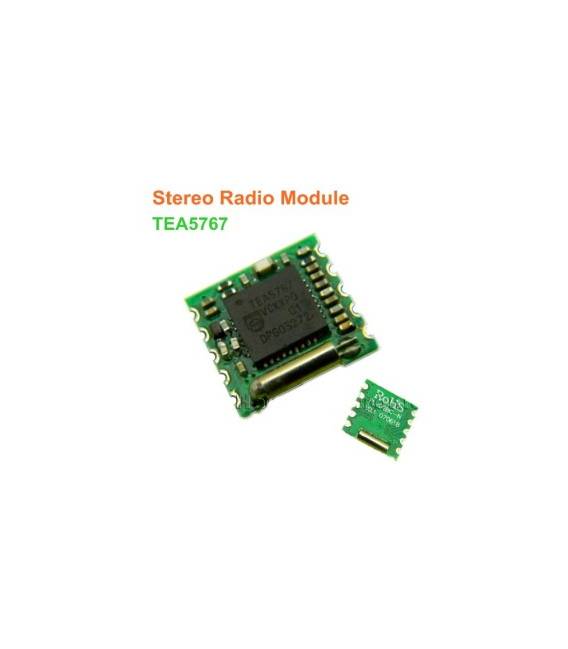
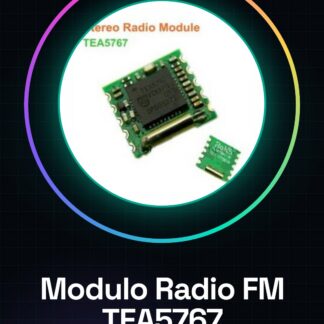
The TEA5767 FM radio module is an electronic component designed for receiving FM radio signals in the 76 to 108 MHz band. This module uses the Philips TEA5767 integration, a solid option for programmable stereo audio applications on Arduino devices.
Features
- FM Reception from 76-108 MHz
- I2C Interface
- Programmable Stereo
- Low Power Consumption
What it is for
This module is ideal for audio projects requiring FM reception, such as assembling small portable radios or amplification systems. It is compatible with Arduino and can be used in conjunction with ESP and other I2C-supported microcontrollers.
Tutorial: How to Use TEA5767 FM Radio Module
This FM radio module allows you to listen to the radio directly on your Arduino. Useful for audio and communication projects.
What you need
- Arduino
- I2C Cable
- FM Antenna
- 10kΩ Resistor
Steps
- 1. Installation: Download and install the TEA5767 library for Arduino.
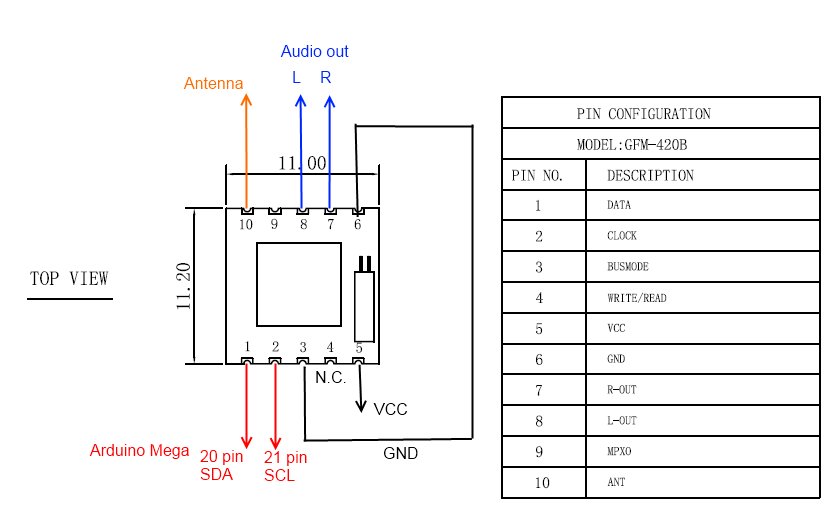
- 2. Connection: Connect VCC to 5V, GND to GND, SDA to SDA2, SCL to SCL2, AGC to 10kΩ.
- 3. Antenna: Connect the FM antenna to the AGC pin.
- 4. Code: Load the example sketch.
- 5. Test: Use Serial Monitor to check available frequencies.
- 6. Configuration: Program the module to select the desired station.
- 7. Listening: Connect headphones or earphones to listen to the radio.
- 8. Tuning: Use the Serial Monitor to change stations.
Example code
```cpp
#include <TEA5767.h>

TEA5767 radio;

void setup() {
  Serial.begin(9600);
  radio.setup();
}

void loop() {
  radio.tuneToStation(92.3);
  Serial.println(radio.getFrequency());
}
```
Mini project
Build a small FM radio that receives the local station and transmits the audio signal to headphones.
Common mistakes
- Connect the 10kΩ resistor correctly to the AGC pin.
- Check the datasheet for the correct frequency configuration.
- Ensure the antenna is properly connected for optimal reception.
- Use the Serial Monitor to verify correct tuning.
Recommended accessories
- Headphones
- FM Antenna
- 10kΩ resistor
- I2C cable
Frequently asked questions
How can I change the station?
Use the Serial Monitor to send the command `radio.tuneToStation(xxx);` with the desired frequency.
Why don’t I receive a signal?
Check the proper installation of the antenna and position for optimal reception.
What are the frequency limits?
The module supports frequencies from 76 to 108 MHz.
Is it necessary to connect the 10kΩ resistor?
Yes, it is necessary for the proper functioning of the module.
Reviews
There are no reviews yet.