 EN
 IT Italiano
 ES Español
 FR Français
 DE Deutsch
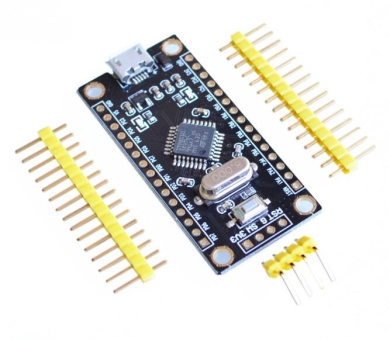
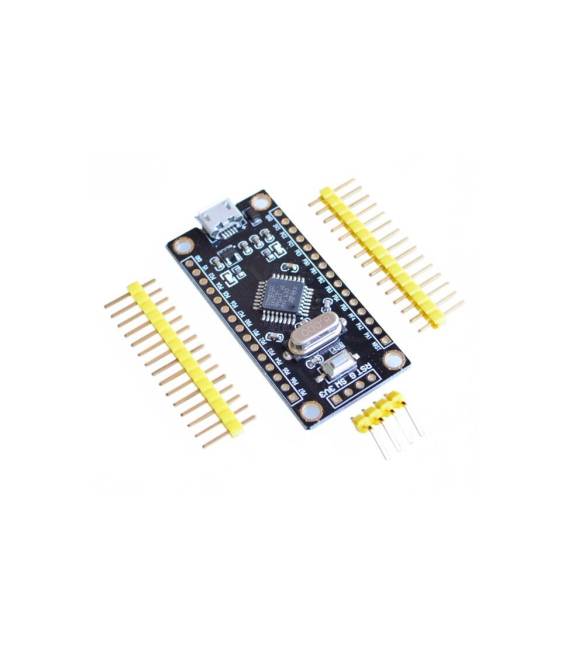
Description
What it is
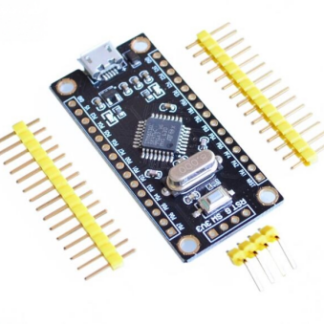
The STM8S105K4T6 module is a development board for STM8 microcontrollers. It is designed for learning MCU programming and developing simple electronic projects.
Features
- Microcontroller: STM8S105K4T6
- SKU: ARD0010910
- Price: 9.18 €
What it is for
The STM8S105K4T6 module is ideal for beginners who want to learn STM8 microcontroller programming. It can be used to create projects such as a button counter that increments a 7-segment display.
Tutorial: How to use STM8S105K4T6
The STM8S105K4T6 module is ideal for apprentices and novice programmers who want to familiarize themselves with STM8-based microcontrollers. It offers a simple and practical development environment.
What you need
- PC with development software
- Arduino IDE
- USB cable
- 10kΩ resistor
- LED
Steps
- 1. Download and install the Arduino IDE.
- 2. Connect the STM8S105K4T6 module to the PC via USB cable.
- 3. Configure the Arduino IDE for the STM8S105K4T6 module.
- 4. Load the example code ‘Blink’ onto STM8S105K4T6.
- 5. Connect the LED to the output pin and the resistor.
- 6. Start the code and observe the LED turning on and off.
- 7. Modify the code to customize the behavior.
- 8. Check the datasheet for additional features.
Example code
void setup() { pinMode(0, OUTPUT); } void loop() { digitalWrite(0, HIGH); delay(1000); digitalWrite(0, LOW); delay(1000); }Mini project
Create a simple button counter that increments a 7-segment display.
Common mistakes
- Forget to download the Arduino IDE.
- Connect the module backwards.
- Use an incompatible USB cable.
- Omit the LED resistor.
Recommended accessories
- 7-segment display
- Button
- 1kΩ resistor
- 220Ω resistor
Frequently asked questions
What software can I use for the STM8S105K4T6 module?
The Arduino IDE is the most common option, but check the datasheet for other options.
Does the module work with Arduino IDE?
Yes, but it may require specific configuration for STM8.
Can I use another resistor for the LED?
Yes, but check the datasheet for the correct resistor.
Does the module need an external power source?
No, it works with the PC ground potential via USB cable.
Reviews
There are no reviews yet.