 EN
 IT Italiano
 ES Español
 FR Français
 DE Deutsch
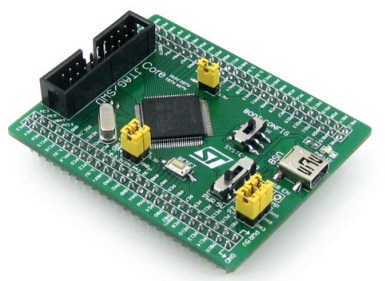
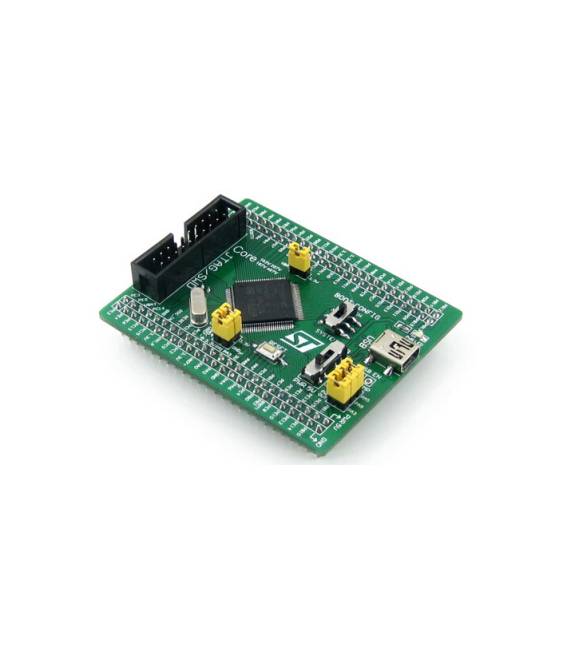
Description
What it is
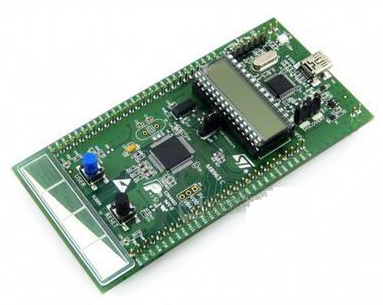
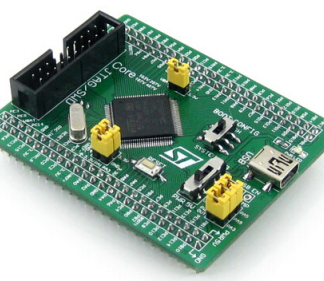
The STM32F107VCT6 Core Board is a development board based on the STM32F107VCT6 microcontroller. It offers a simple interface for programming and debugging electronic projects.
Features
- Microcontroller: STM32F107VCT6
- SKU: ARD009322
- Price: 22.95 €
What it is for
The board is ideal for projects that require power and flexibility. It can be used to create environmental monitoring devices, user interfaces, control systems, and much more. Its compatibility with Arduino makes it suitable for both beginners and experts.
Tutorial: How to Use STM32F107VCT6 Core Board
The STM32F107VCT6 development board is ideal for projects that require power and flexibility. It is suitable for both beginners and experts, providing a solid foundation for microcontroller programming.
What you need
- Windows, macOS, or Linux operating system computer
- USB A-MicroB cable
- Development software (STMCubeIDE)
Steps
- Download and install STMCubeIDE from the official website.
- Open STMCubeIDE and create a new project.
- Select ‘STM32F107VCT6’ as the microcontroller from the list of available devices.
- Configure the build system to generate binary code.
- Connect the STM32F107VCT6 board to the computer via USB cable.
- Compile and load the source code into the microcontroller.
- Verify that everything works correctly by checking the digital or analog outputs.
- Explore further the documentation to discover all the features of the board.
Mini project
Create a simple environmental monitoring device that detects temperature and humidity using the DHT11 sensor and displays the data on an OLED screen.
Common mistakes
- Make sure to have downloaded the correct library for STMCubeIDE.
- Check the physical connection between the board and the computer.
- Ensure that all necessary drivers are installed on the operating system.
- Resolve any board power issues.
Recommended accessories
- DHT11 Sensor
- 0.96″ I2C OLED Display
- LiPo Battery to power the board
- PCB Prototyping Kit
Frequently asked questions
How can I get the board datasheet?
The datasheet is available on the official STMicroelectronics website.
Which programming languages does it support?
It primarily supports C and C++ through STMCubeIDE.
Reviews
There are no reviews yet.