 EN
 IT Italiano
 ES Español
 FR Français
 DE Deutsch
Description
What it is
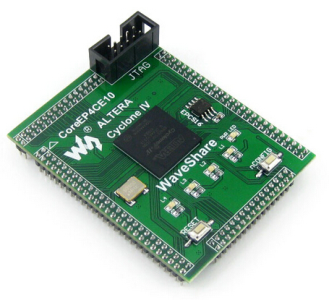
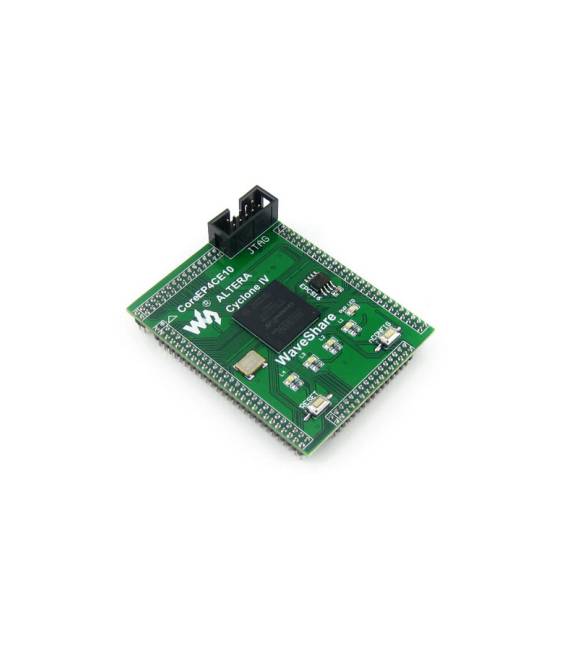
The CoreEP4CE10 development board is a development platform based on the Altera Cyclone IV EP4CE10F17C8N FPGA. This device offers a complete I/O interface that allows for circuit expansion and customization.
Features
- Development board for Altera Cyclone IV EP4CE10F17C8N FPGA
- Complete I/O interface for circuit expansion and customization
What it is for
Ideal for electronic programmers and makers who want to explore the potential of the Cyclone IV FPGA. The board is suitable for custom development projects, circuit testing, and prototyping.
Tutorial: How to use CoreEP4CE10
The CoreEP4CE10 development board allows you to explore the potential of the Cyclone IV FPGA. Ideal for electronic programmers and makers.
What you need
- CoreEP4CE10
- Arduino IDE
- PC with Windows 10 or macOS
- USB A-B cable
Steps
- 1. Download and install Arduino IDE.
- 2. Connect the CoreEP4CE10 board to the PC with the USB cable.
- 3. Select ‘Arduino AVR Boards’ as board.
- 4. Choose ‘Cortex’ as CPU.
- 5. Load the example sketch ‘Blink’ onto CoreEP4CE10.
- 6. Verify the hardware specifications on the datasheet.
- 7. Try running another sketch to test functionality.
- 8. Disconnect the board when finished.
Example code
void loop() {}Mini project
Create a simple alarm circuit on CoreEP4CE10 in 30 minutes.
Common mistakes
- Do not connect the board to a power supply other than the one specified.
- Always verify that the USB driver is correct.
- Do not run sketches incompatible with the FPGA.
- Do not forget to download the latest software versions.
Recommended accessories
- Pressure sensors
- LCD display
- LiPo battery
- Wi-Fi modules
Frequently asked questions
How can I verify the hardware specifications?
Check the datasheet.
Which sketches can I upload?
Charge those compatible with the FPGA.
Can I use this board with an Arduino Uno?
No, use the Arduino IDE specific for the CoreEP4CE10.
Reviews
There are no reviews yet.