 EN
 IT Italiano
 ES Español
 FR Français
 DE Deutsch
Description
What it is
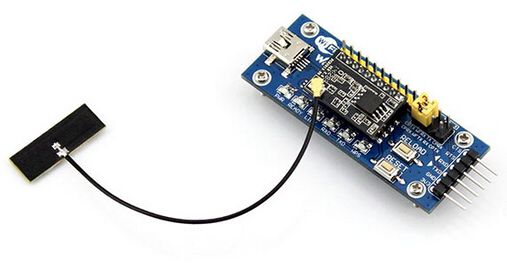
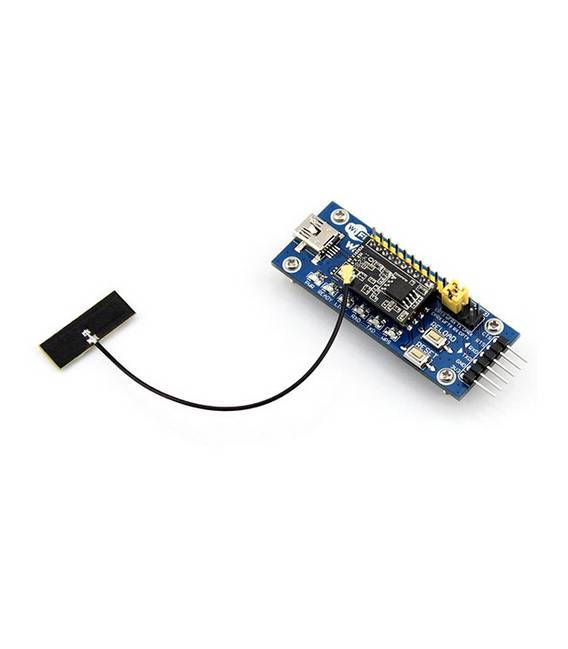
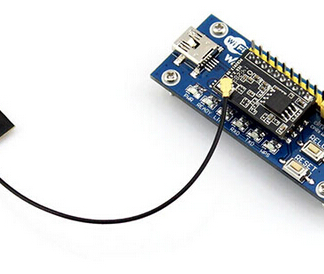
The WIFI-LPT100 Evaluation Kit is a device for developers who want to integrate Wi-Fi connectivity into their Arduino projects. This kit allows testing and developing applications with wireless functionality.
Features
- Enables the integration of Wi-Fi features into Arduino projects
- Allows the creation of an HTTP server using the WiFiLPT100 library
What it is for
The WIFI-LPT100 Kit is useful for developers who want to add Wi-Fi connectivity to their circuits and Arduino projects. It can be used to create simple HTTP servers, easily integrating the WiFiLPT100 library.
Tutorial: How to use WIFI-LPT100 Kit
The WIFI-LPT100 Kit allows you to integrate Wi-Fi features into your Arduino project. Useful for those who want to add Wi-Fi connectivity to their circuits.
What you need
- Arduino UNO or compatible
- WIFI-LPT100 Kit
- USB cable
- PC with Arduino IDE
Steps
- 1. Connect the Arduino UNO to the PC via USB cable.
- 2. Install the WiFi LPT100 library in your Arduino IDE (check the datasheet).
- 3. Connect the WIFI-LPT100 Kit to your Arduino UNO board using the pins defined in the datasheet.
- 4. Write the following code in your Arduino sketch:
- “`cpp
#include
WiFiLPT100 wifi;
void setup() {
Serial.begin(9600);
wifi.begin();
}
void loop() {
if (wifi.isConnected()) {
Serial.println(“Connected to WiFi”);
}
}
“` - 5. Upload the sketch to your Arduino.
- 6. Verify the WiFi connection through the Serial Monitor.
- 7. Configure your WiFi network on the device (check the datasheet).
- 8. Check if your device connects correctly.
Example code
```cpp
#include <WiFiLPT100.h>
WiFiLPT100 wifi;
void setup() {
  Serial.begin(9600);
  wifi.begin();
}
void loop() {
  if (wifi.isConnected()) {
    Serial.println("Connesso a WiFi");
  }
}
```
Mini project
Create a simple HTTP server using the WiFiLPT100 library in just 30 minutes.
Common mistakes
- Sudden WiFi disconnection: check the stability of the connection and the network configuration.
- Synchronization issues: make sure the baud rate is correct.
- Cannot connect: check WiFi configuration and try again.
- Power supply issues: ensure the power supply is correct and stable.
Recommended accessories
- Arduino UNO
- USB cable
- PC with Arduino IDE
- WiFi antenna
Frequently asked questions
How can I check the stability of the WiFi connection?
Use the Serial Monitor to check the connection status.
What are the minimum power supply requirements?
Check the datasheet for minimum power supply requirements.
Can I use this module with Arduino Mega?
Check if the pinout is compatible with the Arduino Mega board.
Reviews
There are no reviews yet.