 EN
 IT Italiano
 ES Español
 FR Français
 DE Deutsch
Description
What it is
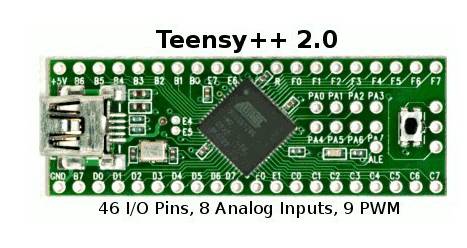
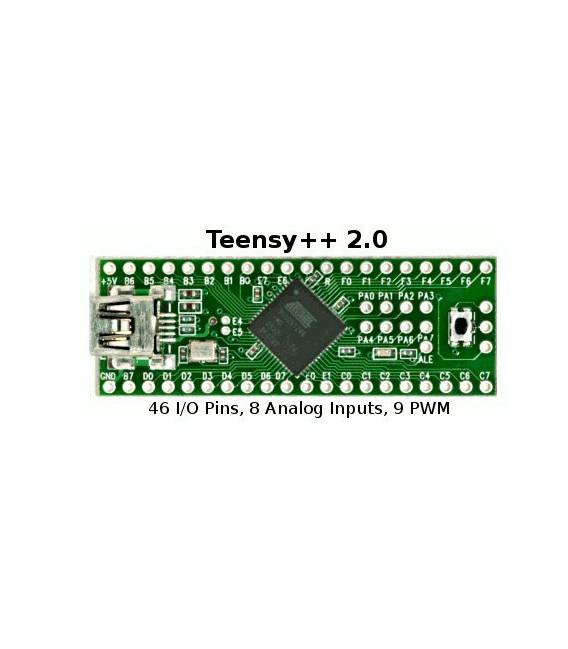
The Teensy 2.0++ is an AVR USB development board compatible with Arduino. Based on the AT90USB1286 microcontroller, it offers a wide range of features for electronic projects of various levels of complexity.
Features
- Microcontroller: AT90USB1286
- Compatibility: Arduino
- Connection: USB
- Function: keyboard and mouse
- ISP: present
- Breadboard friendly: yes
What it is for
The Teensy 2.0++ is ideal for projects requiring interaction with a computer via USB, such as creating custom keyboards and mice. Arduino compatibility simplifies the development of complex electronic projects, leveraging existing libraries and examples.
Tutorial: How to use Teensy 2.0++
The Teensy 2.0++ is a versatile development board for Arduino and advanced electronics projects. Useful for beginner and intermediate makers seeking power and functionality.
What you need
- Teensy 2.0++
- USB cable
- Breadboard
- Resistors and Capacitors
- Sensors or input/output components
Steps
- 1. Download and install the Arduino IDE.
- 2. Connect the Teensy 2.0++ to your computer with the USB cable.
- 3. Install the Teensy extension in the Arduino IDE.
- 4. Connect the Teensy 2.0++ to the breadboard.
- 5. Connect an LED and a resistor to the Teensy to test the output functionality.
- 6. Write a simple sketch to turn the LED on and off.
- 7. Upload the sketch to the Arduino.
- 8. Check the datasheet for further configurations.
Example code
```void setup() {
  pinMode(13, OUTPUT);
}

void loop() {
  digitalWrite(13, HIGH);
  delay(1000);
  digitalWrite(13, LOW);
  delay(1000);
}```
Mini project
Create a simple LED counter with 8 LEDs connected to the Teensy 2.0++.
Common mistakes
- Fail to install the Teensy extension correctly.
- Incorrectly connect the Teensy pins.
- Not having a compatible USB cable.
- Forget to check the datasheet for power supply specifications.
Recommended accessories
- LED for testing
- Resistors
- Pressure or temperature sensors
- LCD display
Frequently asked questions
How can I test the functionality of the Teensy 2.0++?
Connect an LED and a resistor to pin 13 and write a sketch to turn the LED on and off.
Which pins can I use for USB controls?
Check the datasheet for the pins dedicated to USB.
Can the Teensy 2.0++ work with batteries?
Check the datasheet for power supply.
Which versions of the Arduino IDE work with the Teensy 2.0++?
Use the latest version of the Arduino IDE with the Teensy extension installed.




Reviews
There are no reviews yet.