 EN
 IT Italiano
 ES Español
 FR Français
 DE Deutsch
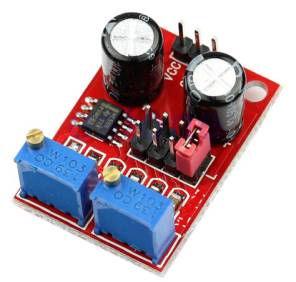
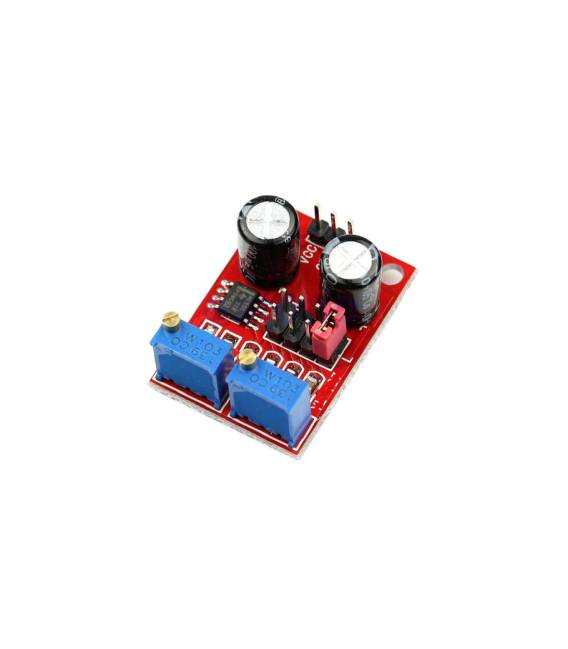
Description
What it is
The NE555 Stepper Motor Driver is an electronic module that generates rectangular wave signals to control stepper motors. Using the NE555 integrated circuit, this driver allows for the adjustment of both the duty cycle and the frequency of the signals, influencing the speed and position of the motor.
Features
- Rectangular Wave Signal Generator
- Duty Cycle Adjustment
- Frequency Impulse Adjustment
- Uses the NE555 Integrated Circuit
- SKU: ARD0011113
- Price: 2.94 €
What it is for
This driver is ideal for applications requiring precise control of the speed and position of stepper motors. It can be used in basic and intermediate electronics projects such as robots, motion systems, and mechanical device prototypes. Compatibility with Arduino and ESP32 allows for easy integration into projects based on these platforms.
Tutorial: How to Use the NE555 Stepper Motor Driver
The NE555 is an ideal stepper motor driver for basic and intermediate electronics projects. It is used to generate rectangular wave signals with duty cycle and frequency control.
What you need
- NE555 Driver
- Resistor (10kΩ for the duty cycle)
- Capacitance of 0.1µF for the duty cycle
- Stepper Motors
Steps
- Check the datasheet for the stepper motor specifications.
- Connect the VCC of the NE555 to +5V.
- Connect the GND of the NE555 to GND.
- Connect pin 5 (trigger) to pin 6 (threshold) through a resistor (10kΩ).
- Connect pin 7 (disable) to GND to disable the duty cycle.
- Connect pin 2 (output) to the stepper motor.
- Check the datasheet for the NE555 oscillation frequency.
- Adjust the frequency with a capacitor (0.1µF) and a resistor (check the datasheet)
Mini project
Build a simple stepper motor rotary motor using the NE555 as a signal generator. Adjust the frequency and duty cycle to control the speed and position of the motor.
Common mistakes
- Failing to properly adjust the duty cycle.
- Using the wrong capacitor or resistor.
- Failing to check the motor specifications.
- Incorrectly connecting the NE555 pins.
Recommended accessories
- Stepper motor
- 10kΩ resistor
- 0.1µF capacitance
- Multimeter
Frequently asked questions
How to adjust the duty cycle?
Connect a resistor (10kΩ) between pin 5 and pin 6 of the NE555.
Which specifications to check on the datasheet?
Check the oscillation frequency and supply voltage.
Can the NE555 operate with voltages other than +5V?
Check the supported supply voltages on the datasheet.
Can the NE555 handle different types of stepper motors?
Check the datasheet for compatibility with the stepper motor being used.



Reviews
There are no reviews yet.