 EN
 IT Italiano
 ES Español
 FR Français
 DE Deutsch
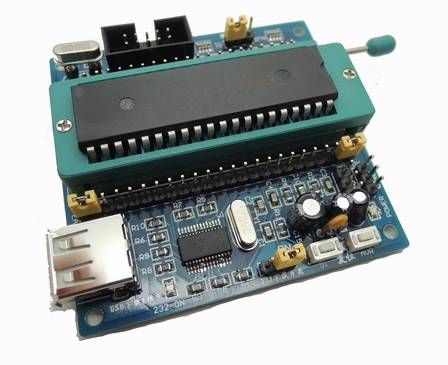
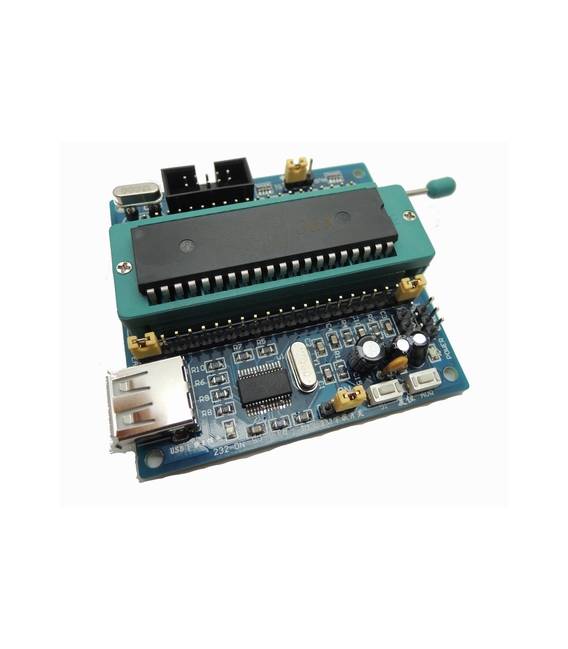
Description
What it is
The ARD0011071 board is a minimal development board for STC89C51 and AT89S51 microcontrollers. It includes a USBISP downloader for programming the microcontrollers directly from your computer.
Features
- Development board for STC89C51
- Development board for AT89S51
- USBISP downloader
What it is for
The board is ideal for programming and prototyping hardware projects with STC89C51 and AT89S51 microcontrollers. You can use the board to create simple projects such as turning on an LED based on a digital input.
Tutorial: How to use the Minimal Development Board STC89C51 and AT89S51 with USBISP Downloader
These boards allow you to program STC89C51 and AT89S51 microcontrollers directly from your PC. Ideal for beginners and intermediates.
What you need
- PC with Windows or macOS
- USB cable
- STC89C51 or AT89S51 microcontrollers
- Arduino IDE software (e.g., Arduino IDE)
Steps
- 1. Connect the board to your PC with the USB cable.
- 2. Install the Arduino IDE on your PC.
- 3. Download the USBISP driver for Windows or macOS.
- 4. Start the Arduino IDE.
- 5. Select ‘STC89C51’ or ‘AT89S51’ as microcontroller in the ‘Tools > Board’ menu.
- 6. Select ‘USBISP’ as serial port in the ‘Tools > Programmer’ menu.
- 7. Load the code onto the selected microcontroller.
- 8. Check the datasheet for the specifications of the microcontroller.
Mini project
Program the board to turn on an LED when pin P1.0 is at 1.
Common mistakes
- Not selecting the microcontroller correctly.
- Not having the USBISP drivers installed.
- Connect the board to the PC correctly.
Recommended accessories
- LED
- Resistor
- Test lead
Frequently asked questions
How can I resolve the USB connection error?
Check that you have installed the USBISP drivers correctly and selected them in the ‘Tools > Programmer’ menu.
What specifications should I check on the datasheet?
Check the microcontroller specifications, such as clock frequency and functional pins.
Can I use this board with different microcontrollers?
Yes, but make sure to select the correct microcontroller in the Arduino IDE.



Reviews
There are no reviews yet.