 EN
 IT Italiano
 ES Español
 FR Français
 DE Deutsch
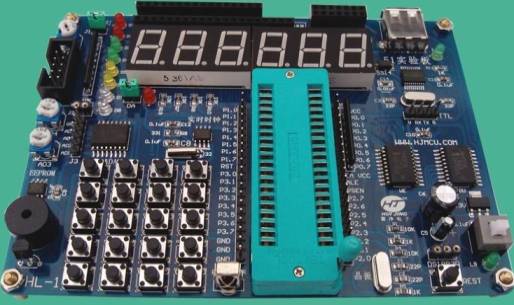
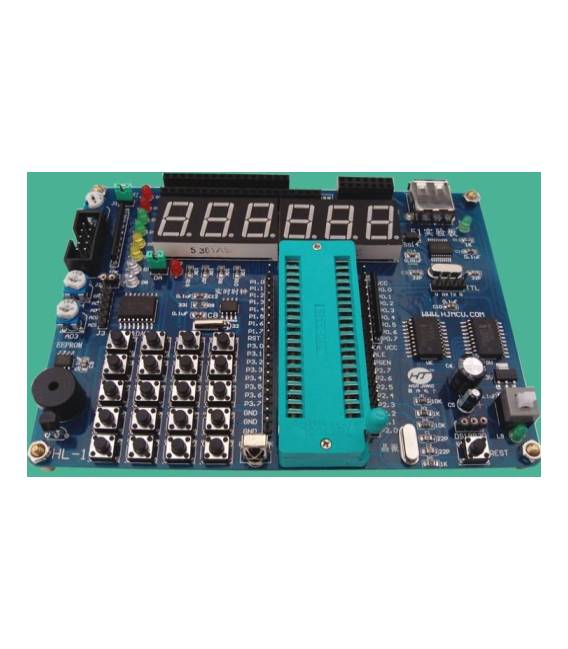
Description
What it is
The SCM Learning Board 51 is a microcontroller board designed to facilitate the learning of basic principles of electronics and microcontroller programming.
Features
- Based on the 8051 microcontroller
- Ideal for beginners
- SKU: ARD0011070
- Price: 24.61 € (starting price)
- Category: Pre-order
What it is for
The SCM Learning Board 51 is an excellent tool for developing simple electronic projects, such as lighting an LED in response to a signal from a button. It can be used to learn fundamental concepts of programming and hardware development.
Tutorial: How to use the SCM Learning Board 51
This learning board is ideal for beginners who want to start understanding how 8051 microcontrollers work. It is an excellent tool for learning programming and hardware development.
What you need
- Computer with Arduino IDE installed
- USB Type B cable
- USB power supply
- Required libraries
Steps
- Download and install the required library from the official website
- Connect the USB cable to the board and the computer
- Open Arduino IDE and select the correct board
- Upload a sample sketch to the board
- Check the communication between the board and the computer
- Modify the sketch to understand how the pins work
- Try to create a simple lighting project
Example code
void setup() {
  Serial.begin(9600);
}

void loop() {
  Serial.println("Ciao, mondo!");
}
Mini project
Create a device that turns on an LED every time it receives a signal from a button. Use board 51 to manage the button and the LED.
Common mistakes
- Do not recognize the board during installation
- Cannot upload the sketch
- Pins do not respond as expected
- Power supply issues
Recommended accessories
- USB Type B cable
- USB power supply
- LED
- Button
Frequently asked questions
Where can I find the necessary libraries?
The libraries are available on the official manufacturer’s website or on GitHub.
How can I check if the board is recognized?
Check the board list in the Arduino IDE menu.



Reviews
There are no reviews yet.