 EN
 IT Italiano
 ES Español
 FR Français
 DE Deutsch

Description
What it is
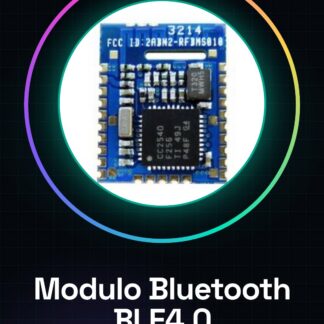
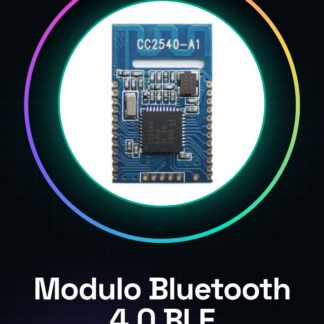
The SPP-C Bluetooth module is a device that allows establishing serial (SPP) connections between wireless devices. It is an alternative to the HC-05 and HC-06 modules, ideal for Arduino projects that require a Bluetooth connection.
Features
- Bluetooth SPP Connection
- Alternative to HC-05 and HC-06 modules
- SKU: SKU96449
- Price: 7.46 €
What it is for
The SPP-C module can be used to create remote connections between Arduino devices and smartphones or tablets. For example, it can be used to control an Arduino device remotely via an app, or to transmit data from an Arduino to a computer.
Tutorial: How to Use the SPP-C Bluetooth Module
The SPP-C Bluetooth module is a versatile device that allows establishing serial (SPP) connections between wireless devices, ideal for beginners and intermediate projects.
What you need
- Arduino Uno
- USB A-Micro B Cable
- 9V Battery with Clip
Steps
- Connect the SPP-C module to the Arduino: TX of the module to RX of the Arduino, RX of the module to TX of the Arduino.
- Provide power to the SPP-C module via the VCC and GND pins.
- Load the Arduino sketch to establish the Bluetooth connection.
- Use an app like ‘Bluetooth Terminal’ on the mobile device to send commands to the Arduino.
- Check the connectivity settings of the SPP-C module, particularly the MAC code and password (check the datasheet).
- Test the bidirectional communication between Arduino and Bluetooth device.
- Configure the app to send specific commands to the Arduino.
- Implement features such as remote LED control or sensor reading.
Example code
void setup() {
  Serial.begin(9600);
}

void loop() {
  if(Serial.available()) {
    char incomingChar = Serial.read();
    // Aggiungi qui la logica per gestire i comandi ricevuti.
  }
}
Mini project
Create a smartphone-controlled home alarm system: the Bluetooth module connects to an app that allows the alarm to be turned on and off.
Common mistakes
- Incorrect baud rate settings
- Unstable connection between Arduino and mobile device
- Issues with SPP-C module configuration
Recommended accessories
- Arduino Uno R3
- USB A-Micro B cable
- 9V battery with clip
- PIR sensors for home alarm
Frequently asked questions
How can I verify if the module is connected correctly?
Check the module status light and verify that serial communications are established.
What is the difference between this module and HC-05/HC-06?
This module may have a different configuration or support additional features, consult the datasheet for specific details.

Reviews
There are no reviews yet.