 EN
 IT Italiano
 ES Español
 FR Français
 DE Deutsch
Description
What it is
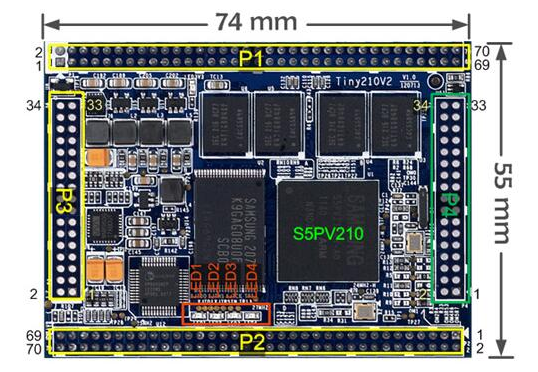
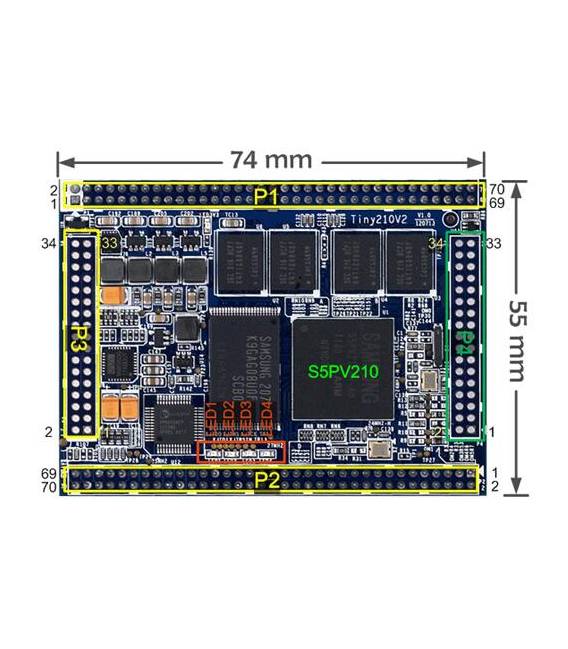
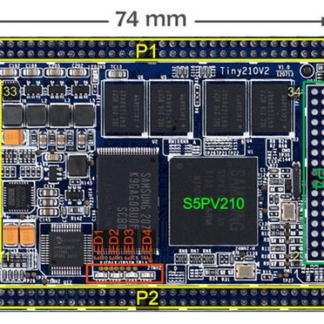
The Smart210 / Tiny210V2 1GB is a development board with the S5PV210 processor, designed for Android projects and electronics.
Features
- Processor: S5PV210
- Memory: 1GB
- Operating System: Android 4
What it is for
The Smart210 is ideal for Android developers and makers who want to create Android applications or integrate hardware features. It can be used for projects such as LED control via buttons or the implementation of hardware interfaces with Android applications.
Tutorial: How to use Smart210
The Smart210 is a development board for Android developers and Arduino-based projects. Useful for those who want to create Android applications or integrate hardware features.
What you need
- Smart210
- PC with Windows 7 or higher
- USB cable
- Android SDK software
Steps
- 1. Download and install Android SDK.
- 2. Connect Smart210 to the PC with a USB cable.
- 3. Configure Android SDK to recognize Smart210.
- 4. Create an Android project in Android Studio.
- 5. Check the datasheet for hardware specifications.
- 6. Develop the Android application on Smart210.
- 7. Test the application on Smart210.
- 8. Check the datasheet for software specifications.
Mini project
Create a simple Android application that controls an LED with a button.
Common mistakes
- Forget to install Android SDK.
- Connect Smart210 with an incorrect USB cable.
- Fail to configure Android SDK correctly.
- Develop the application without first checking the hardware specifications.
Recommended accessories
- Arduino Shield
- LED
- Button
- 1kΩ Resistor
Frequently asked questions
How do I install Android SDK?
Visit the official Android SDK website and follow the installation instructions.
Which hardware specifications do I need to check?
Check the datasheet for memory and CPU specifications.
Can I use this product to develop Android on PC?
Yes, Smart210 is designed to develop Android on PC.
Reviews
There are no reviews yet.