 EN
 IT Italiano
 ES Español
 FR Français
 DE Deutsch
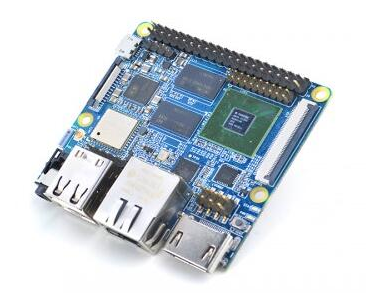
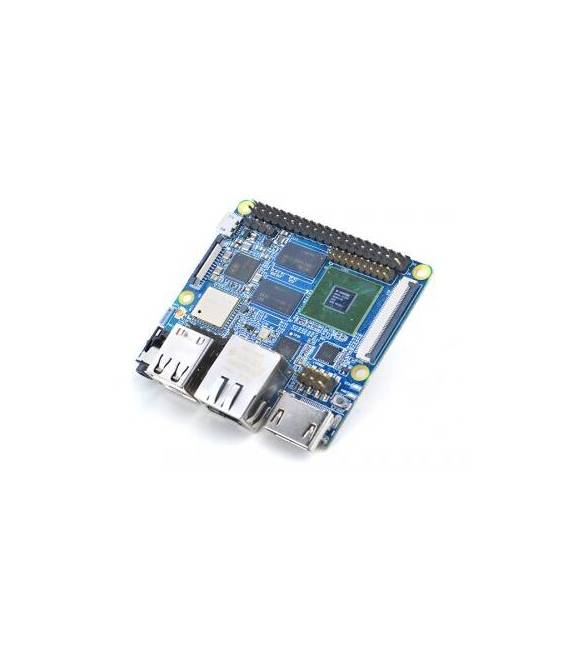
Description
What it is
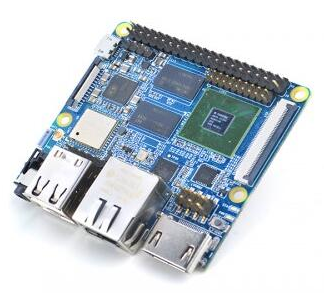
NanoPi M3 S5P6818 Octa-Core is a development board with an octa-core S5P6818 processor, ideal for advanced electronics projects and software development.
Features
- Octa-core S5P6818 Processor
- Frequency: 400 MHz – 1.4 GHz
- Power Supply: DC 5V / 2A
What it is for
The NanoPi M3 is suitable for IoT and robotics projects. It is compatible with Arduino, allowing the use of Arduino code for controlling electronic components. Examples of use: creating LED control systems with buttons, developing robot prototypes, implementing sensors and actuators.
Tutorial: How to Use NanoPi M3
The NanoPi M3 is an S5P6818 Octa-Core processor-based development board, ideal for advanced electronics projects and software development.
What you need
- NanoPi M3
- Arduino IDE
- Micro-USB cable
- SD cards
- Sensors or external modules
- Monitor or HDMI screen
Steps
- 1. Connect the NanoPi M3 to the computer using the micro-USB cable.
- 2. Open Arduino IDE and create a new project.
- 3. Upload the ‘Blink’ example code to test functionality.
- 4. Check the datasheet for power supply specifications.
- 5. Connect the NanoPi M3 to a monitor or HDMI screen.
- 6. Start the pre-installed operating system.
- 7. Install the desired operating system (Linux, Android).
- 8. Connect sensors or external modules to test functionality.
Example code
void loop() {
  digitalWrite(LED_BUILTIN, HIGH);
  delay(1000);
  digitalWrite(LED_BUILTIN, LOW);
  delay(1000);
}
Mini project
Create a simple LED control system with a button. Connect an LED and a button to the NanoPi M3 and write Arduino code to control the LED based on the button state.
Common mistakes
- Do not properly connect the NanoPi M3.
- Forget to install the operating system.
- Not having an SD card.
- Connect the wrong power supply.
Recommended accessories
- Temperature sensors
- Wi-Fi modules
- Buttons
- LEDs
Frequently asked questions
How can I upload an Arduino code to the NanoPi M3?
Connect the NanoPi M3 to the computer and use Arduino IDE to upload the code.
What power supply specifications should I check?
Check the datasheet for the DC power supply specifications 5V / 2A.
Which operating systems can I install?
You can install Linux or Android.
What are the minimum requirements to use the NanoPi M3?
You need a computer to upload the code and a monitor or HDMI screen for display.
Reviews
There are no reviews yet.