 EN
 IT Italiano
 ES Español
 FR Français
 DE Deutsch
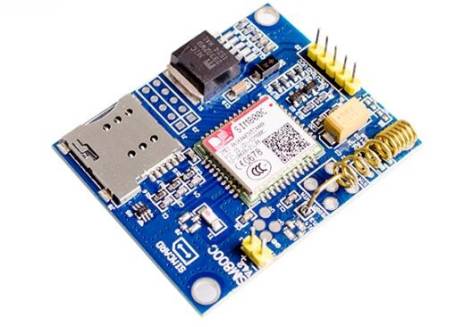
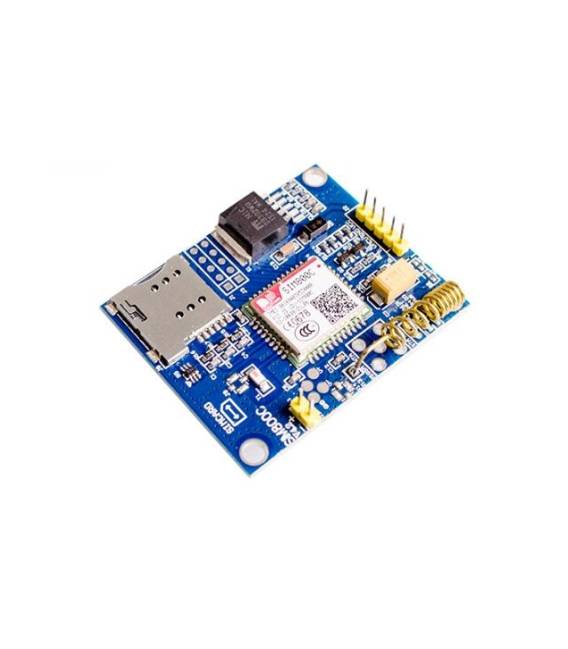
Description
What it is
The SIM800C module is a component that allows Arduino devices to connect to the Internet via GSM/GPRS cellular networks.
Features
- GSM/GPRS Connectivity
- Compatibility with Arduino
- SKU: ARD0011293
- Price: 13.88 €
What it is for
The SIM800C module is ideal for Internet of Things (IoT) and remote monitoring projects. It can be used to create remote control devices, send notifications, collect data from sensors, and much more.
Tutorial: How to Use SIM800C
The SIM800C module is an ideal component for projects requiring cellular connectivity. Useful for beginners and those seeking advanced features.
What you need
- Arduino UNO or compatible
- USB cable
- SIM card
- GSM antenna
Steps
- 1. Connect the Arduino UNO to the computer via the USB cable.
- 2. Install the SIM800C library in your Arduino IDE.
- 3. Connect the SIM800C to the Arduino: Arduino TX to SIM800C RX, Arduino RX to SIM800C TX, GND to GND, VCC to 3.3V.
- 4. Mount the GSM antenna on the SIM800C.
- 5. Insert the SIM card.
- 6. Load the SIM800CExample sample code.
- 7. Check the datasheet for the correct frequency for your area.
- 8. Try sending an SMS using the code.
Example code
```
#include <SIM800C.h>
SIM800C sim800c;

void setup() {
  sim800c.begin(9600);
}

void loop() {
  sim800c.sendSMS("+39123456789", "Ciao da Arduino!");
}
```
Mini project
Create a remote control device for lights using a button and the SIM800C module to send commands.
Common mistakes
- Forget to connect the GSM antenna.
- Insert the SIM card in the wrong position.
- Use the wrong frequency for the region.
- Connect VCC to 5V instead of 3.3V.
Recommended accessories
- GSM Antenna
- SIM card
- 3.3V power supply cable
- Remote control button
Frequently asked questions
What frequencies does the SIM800C module support?
Check the datasheet for the correct frequency for your area.
Can I use a power supply different from 3.3V?
Use only 3.3V as specified in the datasheet.
How can I verify if the module is connected correctly?
Check the connection with a sample sketch or verify the presence of GSM signal.



Reviews
There are no reviews yet.