 EN
 IT Italiano
 ES Español
 FR Français
 DE Deutsch
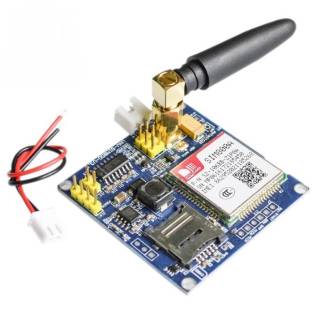
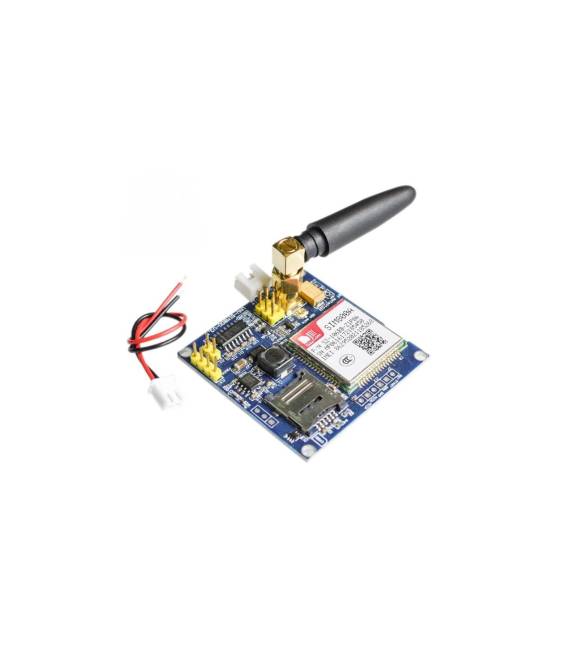
Description
What it is
The SIM800A GSM GPRS STM32 development board is a module that allows adding GSM/GPRS communication capabilities to Arduino projects.
Features
- SIM800A GSM/GPRS Module
- Controlled by an STM32 microcontroller
- Compatible with Arduino
What it is for
The board can be used to send and receive SMS messages, control remote devices, and implement projects requiring GSM/GPRS connectivity.
Tutorial: How to use SIM800A GSM GPRS STM32 Board
This board allows you to add GSM/GPRS communication capabilities to your Arduino project. Useful for projects requiring remote connectivity.
What you need
- Arduino Uno or compatible
- USB cable
- Compatible SIM card
- GSM antenna
- 3.3V power supply
Steps
- 1. Connect the 3.3V power supply to the VCC pin of the SIM800A board.
- 2. Connect GND to GND.
- 3. Connect RX of your Arduino to TX of the SIM800A board.
- 4. Connect TX of your Arduino to RX of the SIM800A board.
- 5. Connect the RST pin to GND for reset.
- 6. Connect the DTR pin to GND for initialization.
- 7. Load the Arduino code onto your Arduino.
- 8. Verify the GSM/GPRS connection with a sample sketch.
Example code
```
#include <SoftwareSerial.h>

SoftwareSerial gsmSerial(2, 3);

void setup() {
  gsmSerial.begin(9600);
  Serial.begin(9600);
}

void loop() {
  if (gsmSerial.available()) {
    Serial.write(gsmSerial.read());
  }
  if (Serial.available()) {
    gsmSerial.write(Serial.read());
  }
}
```
Mini project
Send an SMS using the SIM800A card and a phone number.
Common mistakes
- Don’t forget the connection of VCC and GND.
- Pin RX/TX configuration error.
- Power supply issues.
- SIM card not inserted correctly.
Recommended accessories
- GSM Antenna
- SIM card
- USB cable
- Arduino Uno or compatible
Frequently asked questions
How can I verify the GSM/GPRS connection?
Run the sample code and send the AT+CSQ command to check the connection quality.
What are the minimum power supply requirements?
The power supply must be stable and range from 3.3V to 4.2V.
Can I use any SIM card?
Use a compatible GSM/GPRS SIM card.
How can I reset the board?
Connect the RST pin to GND for 2 seconds.



Reviews
There are no reviews yet.