 EN
 IT Italiano
 ES Español
 FR Français
 DE Deutsch
Description
Tutorial: How to Use SHT21 Humidity and Temperature Sensor
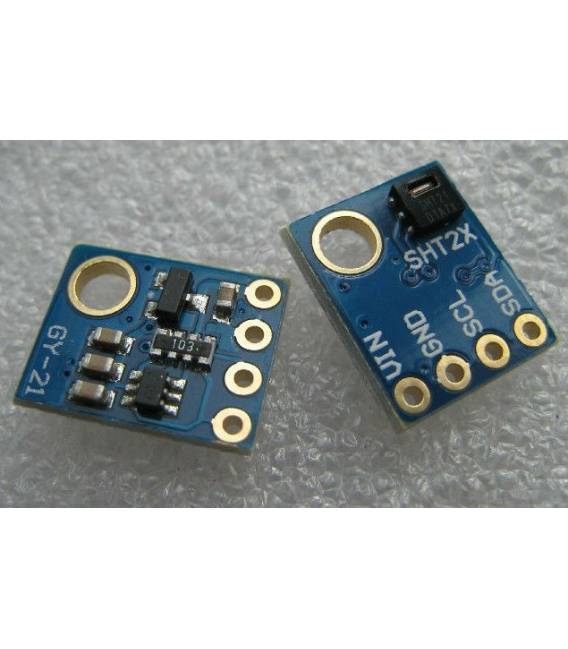
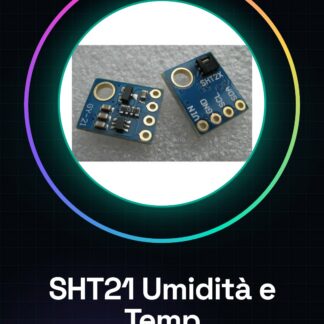
The SHT21 sensor is a crucial component for monitoring humidity and temperature in domestic environments, laboratories, or climate control systems. Ideal for DIY projects such as customized weather stations.
What you need
- Arduino Uno
- USB Type B Cable
- 3-5V Power Supply
Steps
- Connect the SHT21 sensor to the Arduino data and clock pins, observing polarity.
- Install the dedicated SHT21 sensor library from the Arduino repository.
- Upload the example sketch provided by the library to your Arduino.
- Check the read values on Serial Monitor and adjust any connection issues.
- Write a custom sketch to store or send temperature and humidity data.
- Test the sensor under different conditions (hot, cold, humid) to verify its accuracy.
Example code
// Includi la libreria SHT21
#include <SHT21.h>

// Crea un oggetto del tipo SHT21
SHT21 sht;

void setup() {
  Serial.begin(9600);
}

void loop() {
  float temp = sht.readTemperature();
  float humi = sht.readHumidity();
  Serial.print("Temp:"); Serial.println(temp, 1);
  Serial.print("Humi:"); Serial.println(humi, 1);
}
Mini project
Create a weather station that records and sends temperature and humidity data to a web server.
Common mistakes
- Incorrect pin connection of the sensor
- Missing installation of the SHT21 library
- Power supply not conforming to the sensor specifications (check the datasheet)
- Data reading issues caused by extreme environmental conditions
Recommended accessories
- Arduino Uno R3
- USB Type B cable
- Light and atmospheric pressure sensors
- ESP8266 WiFi module for sending data over the internet
Frequently asked questions
Where can I find the SHT21 datasheet?
The datasheet is available on the Sensirion company website.
Which libraries support this sensor?
The most common library for Arduino is ‘SHT21’. Check the datasheet for other options.
Reviews
There are no reviews yet.