 EN
 IT Italiano
 ES Español
 FR Français
 DE Deutsch
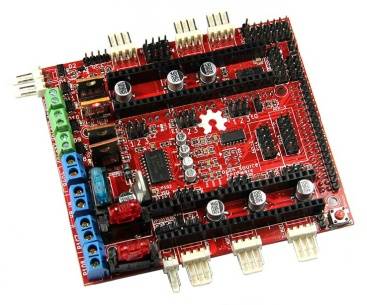
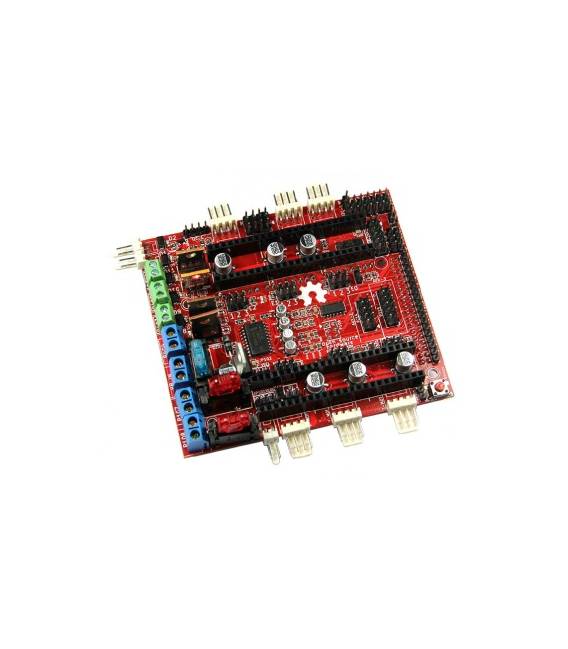
Description
What it is
The RAMPS-FD v1.0 Shield is a 3d printer controller compatible with Arduino Due.
Features
- Compatible with Arduino Due
- Check the datasheet: Number of axes supported
- Check the datasheet: Connection types
- Check the datasheet: Power supply
What it is for
The RAMPS-FD v1.0 Shield allows the use of the power of the Arduino Due microcontroller to manage the movement of three axes of a 3d printer. It is ideal for those who want to improve the quality of their 3d printed creations.
Tutorial: How to use RAMPS-FD v1.0 Shield for Arduino Due
The RAMPS-FD v1.0 Shield for Arduino Due is a 3d printer controller that allows the use of the power of the Arduino Due microcontroller to manage the movement of three axes. This component is ideal for 3d printing enthusiasts who want to improve the quality of their creations.
What you need
- Arduino Due
- 3d Printer
- USB cable
- Connection to computer
- Control software (e.g. Marlin or Repetier)
- GCode files for printing
Steps
- Connect the RAMPS-FD v1.0 shield to the Arduino Due following the documentation.
- Check the connection between the controller and the 3d printer.
- Install the control software (Marlin or Repetier) on the computer.
- Configure the control software to work with the RAMPS-FD v1.0 shield.
- Load the Arduino sketch onto the controller.
- Verify the firmware configuration on the datasheet.
- Test 3D printing with a simple GCode file.
- Optimize settings to improve print quality.
Example code
void setup() {
  Serial.begin(115200);
}

void loop() {
  // Codice di controllo della stampante 3D
}
Mini project
Create a simple 30-minute 3D sculpture to print using the RAMPS-FD v1.0 shield for Arduino Due.
Common mistakes
- Connection error between the controller and the 3d printer.
- Incorrect firmware settings.
- Incorrect or incompatible GCode files.
- Insufficient power supply issues.
Recommended accessories
- Filament spools for 3d printer
- 3D Printer Maintenance Tool Kit
- 3D Modeling Software (e.g., Tinkercad)
- 3D Printer Calibration Kit
Frequently asked questions
What is the difference between RAMPS-FD v1.0 and previous versions?
RAMPS-FD v1.0 is optimized for the Arduino Due, offering greater computing power and precision.
How can I get the datasheet?
The datasheet is available on the manufacturer’s website or the project’s GitHub repository.
Can this controller be used with other microcontrollers?
No, it is specifically designed for the Arduino Due.



Reviews
There are no reviews yet.