 EN
 IT Italiano
 ES Español
 FR Français
 DE Deutsch
Description
What it is
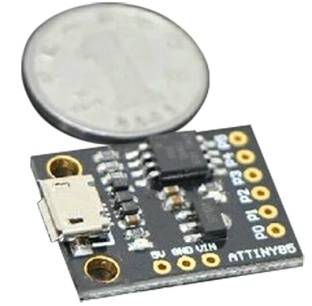
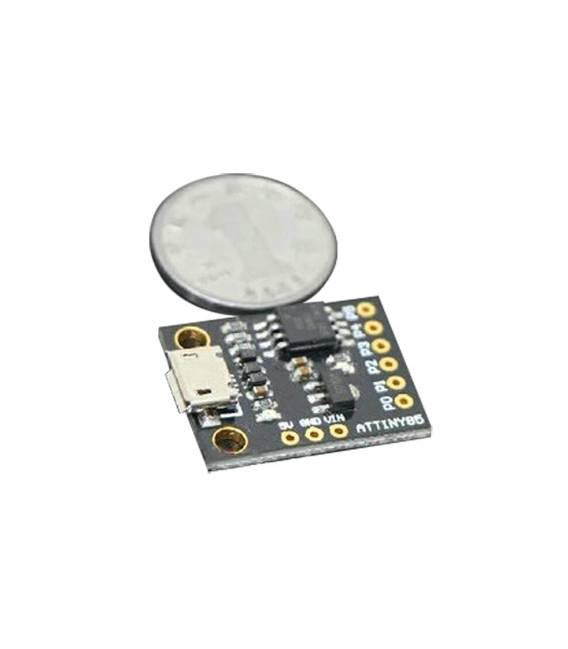
The ATTINY85 microcontroller development board with mini USB for Arduino is an essential component for makers and developers seeking an economical and versatile solution. This board allows programming via USB connection, making it easy to implement electronic projects at both basic and advanced levels.
Features
- Microcontroller-based board ATTINY85
- Compatible with Arduino IDE for programming
- Mini USB connector included for code upload
What it is for
The ATTINY85 board is ideal for projects that require a small and economical microcontroller, such as simple LED timers or sensors. It is useful for both beginner and expert programmers due to its ease of use and compatibility with Arduino.
Tutorial: How to use ATTINY85 Board
The ATTINY85 board is ideal for basic and advanced projects that require a microcontroller. Useful for programmers and makers who want a versatile and affordable component.
What you need
- Arduino IDE installed
- USB cable
- ATTINY85 board
- Check the datasheet
Steps
- 1. Install Arduino IDE.
- 2. Connect the ATTINY85 board with the USB cable.
- 3. Open Arduino IDE.
- 4. Select ‘Arduino as ISP’ as serial port.
- 5. Load the ‘Blink’ sketch to test the board.
- 6. Verify that the LED brightens and dims regularly.
- 7. Download the ‘AVRDUDE’ software for advanced programming.
- 8. Check the datasheet for further configurations.
Example code
```void loop() {}```Mini project
Create a simple timer with an LED.
Common mistakes
- Forget to install Arduino IDE.
- Connect the board backwards.
- Do not select ‘Arduino as ISP’ as serial port.
- Omit checking the datasheet.
Recommended accessories
- LED
- 220Ω resistor
- Multimeter
- Check the datasheet
Frequently asked questions
Can I use this board with other microcontrollers?
Yes, but check compatibility on the datasheet.
How long does it take to program the board?
The upload process takes about 5-10 seconds.
What are the power limits of the board?
Check the datasheet for current and voltage limits.



Reviews
There are no reviews yet.