 EN
 IT Italiano
 ES Español
 FR Français
 DE Deutsch
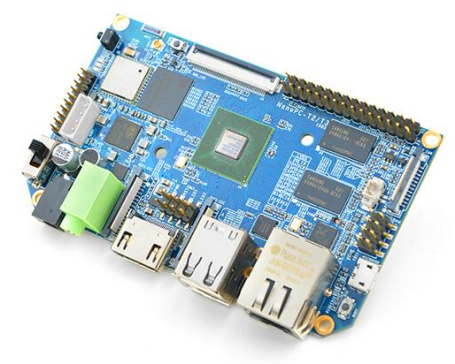
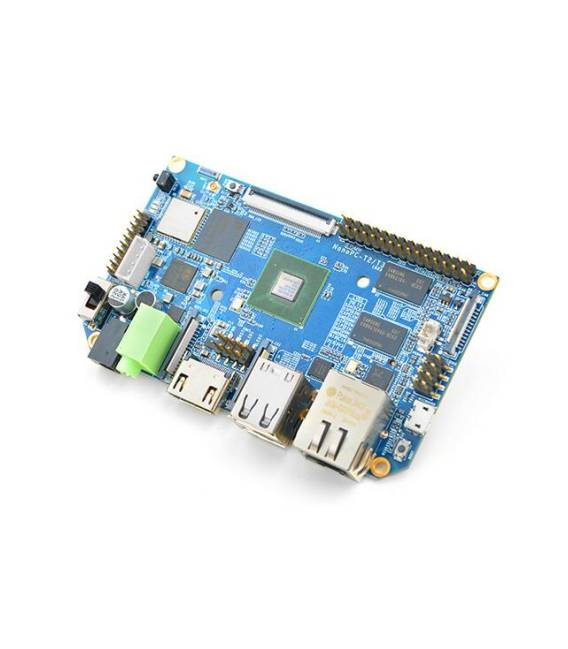
Description
What it is
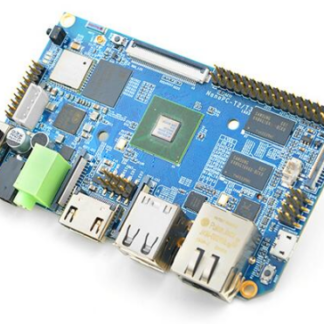
NanoPC-T3 is a 64-bit Octa-Core Single Board Computer (SBC). It is a compact device that integrates a powerful processor, memory, and various interfaces for connecting to other electronic components.
Features
- 64-bit Octa-Core
- SKU: ARD0010108
- Price: 84.84 €
What it is for
The NanoPC-T3 is ideal for software development projects, application creation, and web development. It can be used by beginner and intermediate programmers and makers. Examples of use include creating simple websites with HTML and CSS, developing mobile applications, or managing IoT devices.
Tutorial: How to Use NanoPC-T3
The NanoPC-T3 is an SBC (Single Board Computer) ideal for software development projects, application creation, and web development. Useful for beginner and intermediate programmers and makers.
What you need
- NanoPC-T3
- USB Power Supply
- Monitor or HDMI Screen
- HDMI Cable
- Keyboard and mouse
Steps
- 1. Connect the USB power supply to the NanoPC-T3.
- 2. Connect the HDMI cable to the NanoPC-T3 and to your monitor.
- 3. Start the NanoPC-T3.
- 4. Configure WiFi or connect via Ethernet.
- 5. Install an operating system (Linux or Windows).
- 6. Configure your keyboard and mouse.
- 7. Install a code editor.
- 8. Start developing your project.
Mini project
Create a simple website using HTML and CSS. Start with an index.html file and add basic elements such as text and images.
Common mistakes
- Do not connect the power supply correctly.
- Forget to configure the network.
- Install an incompatible operating system.
- Do not connect the monitor correctly.
Recommended accessories
- Monitor or HDMI screen
- Keyboard and mouse
- HDMI cable
- USB power supply
Frequently asked questions
How can I install an operating system on NanoPC-T3?
Select a supported operating system and follow the instructions on the manufacturer’s official website.
What are the minimum requirements to use the NanoPC-T3?
A computer with Windows 10 or Linux, and a USB booting software.
Can I use the NanoPC-T3 for web development?
Yes, it is perfect for developing and testing web applications.
Does the NanoPC-T3 support anything other than Linux?
Yes, it supports Windows 10.
Reviews
There are no reviews yet.