 EN
 IT Italiano
 ES Español
 FR Français
 DE Deutsch
Description
What it is
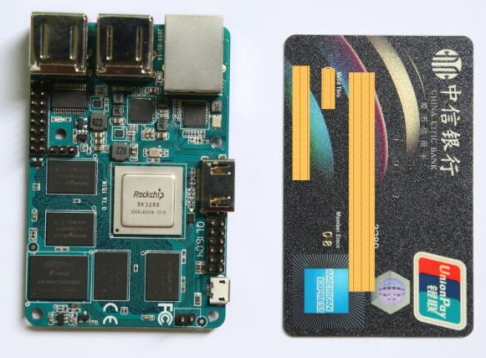
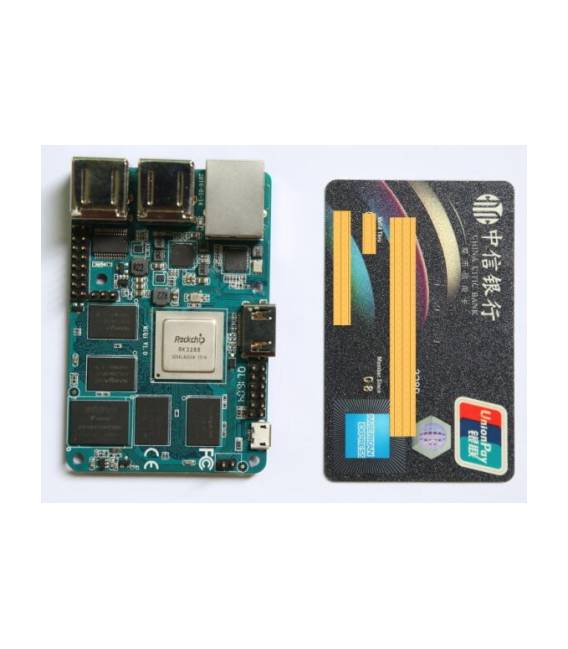
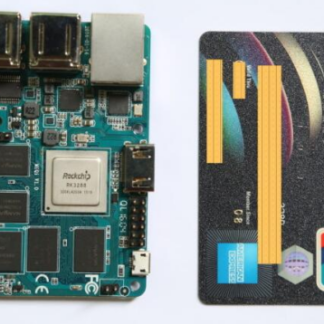
MiQi is a single-board computer equipped with the Rockchip RK3288 processor, designed to support Arduino projects and software development. Ideal for both beginners and intermediate programmers.
Features
- Single-board computer with Rockchip RK3288 processor
- Ideally suited for Arduino projects
What it is for
MiQi can be used to create simple button counters using the Arduino IDE. Additionally, it can be integrated into various other projects that require a versatile and accessible development platform.
Tutorial: How to use MiQi
MiQi is a single-board computer ideal for Arduino projects and software development. Useful for beginners and intermediate programmers.
What you need
- MiQi
- USB power supply
- USB cable
- MicroSD
- Monitor or HDMI screen
Steps
- 1. Ensure that the MiQi is at room temperature.
- 2. Connect to a computer using a USB cable.
- 3. Turn on the MiQi.
- 4. Install the latest version of Linux or Windows 10 IoT Core.
- 5. Connect to the internet for updates.
- 6. Install Arduino IDE.
- 7. Connect an HDMI display to view.
- 8. Try to upload a simple example sketch.
Example code
Serial.begin(9600);
Serial.println("Ciao, MiQi!");
Mini project
Create a simple button counter using Arduino IDE and MiQi.
Common mistakes
- Does not turn on: check power supply and USB connection.
- Does not connect to the internet: check network settings.
- Installation issues: make sure you have the latest software version.
- Hardware issues: check if the product has been used or damaged.
Recommended accessories
- Arduino Shield
- Temperature sensors
- Buttons
- LCD Display
Frequently asked questions
How can I connect MiQi to a monitor?
Connect the HDMI cable to MiQi and your monitor.
Which operating systems does MiQi support?
Supports Linux and Windows 10 IoT Core.
Can I use MiQi with Arduino IDE?
Yes, install Arduino IDE and upload Arduino sketch.
Reviews
There are no reviews yet.