 EN
 IT Italiano
 ES Español
 FR Français
 DE Deutsch
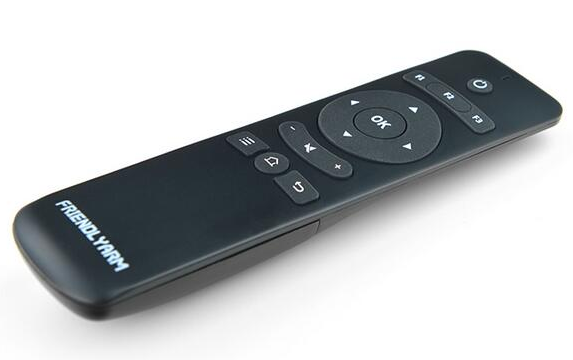
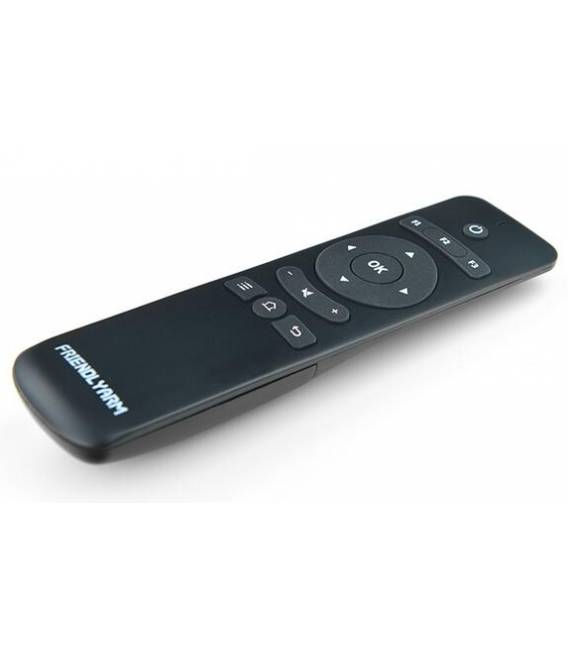
Description
What it is
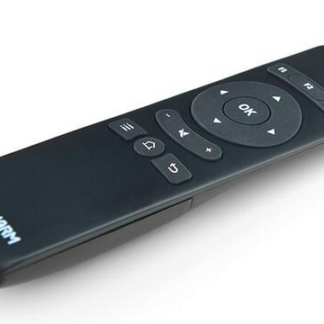
The IR Friendly RC-100 Controller for NanoPi M1 is a device designed to facilitate the integration of infrared control in various types of electronic projects. This component allows builders, beginners, and intermediate makers to interact with infrared devices through the NanoPi M1.
Features
- Compatible with NanoPi M1
- Ideally used for controlling infrared devices
What it is for
The IR Friendly RC-100 Controller is useful for home automation projects, such as remote light management or interfacing with other smart devices. It is ideal for those who want to create a remote control system without having to write complex code.
Tutorial: How to use RC-100
The IR Friendly RC-100 Controller for NanoPi M1 is ideal for controlling infrared devices with Arduino. Useful for beginners and intermediate makers.
What you need
- NanoPi M1
- IR Remote Control
- IR Receiver
- USB cable
Steps
- 1. Download the IRremote.h code for Arduino.
- 2. Connect the RC-100 to the NanoPi M1 via 5 pins (VCC, GND, DATA, TX, RX).
- 3. Check the datasheet for correct power supply.
- 4. Load the example IRrecvDemo code.
- 5. Set the IR reception pin (e.g., D10).
- 6. Insert the reception code for the desired command.
- 7. Try sending IR commands with the remote.
- 8. Check the device’s reaction to infrared commands.
Example code
```void setup() { IRrecv irrecv(D10); irrecv.enableIRIn(); // Start the receiver } void loop() { if (irrecv.decode(&results)) { Serial.println(results.value); irrecv.resume(); // Receive the next value } } ```Mini project
Create a device that turns a lamp on/off when it receives an IR command.
Common mistakes
- Incorrect power supply: check the datasheet.
- Incorrect connection: check the pins.
- IR codec not working: check compatibility.
- Reception issues: check the position of the IR receiver.
Recommended accessories
- IR Remote Control
- IR Receiver
- Infrared Lamp
- USB Cable
Frequently asked questions
How can I test IR reception?
Use an example code like IRrecvDemo and send IR commands with your remote.
Which pins can the RC-100 use?
It can use any digital pin as an IR reception pin.
Does the RC-100 work with all remotes?
It works with most IR remotes, but check compatibility in the datasheet.
How can I solve reception issues?
Check the position of the IR receiver and compatibility with your remote.
Reviews
There are no reviews yet.