 EN
 IT Italiano
 ES Español
 FR Français
 DE Deutsch
Description
What it is
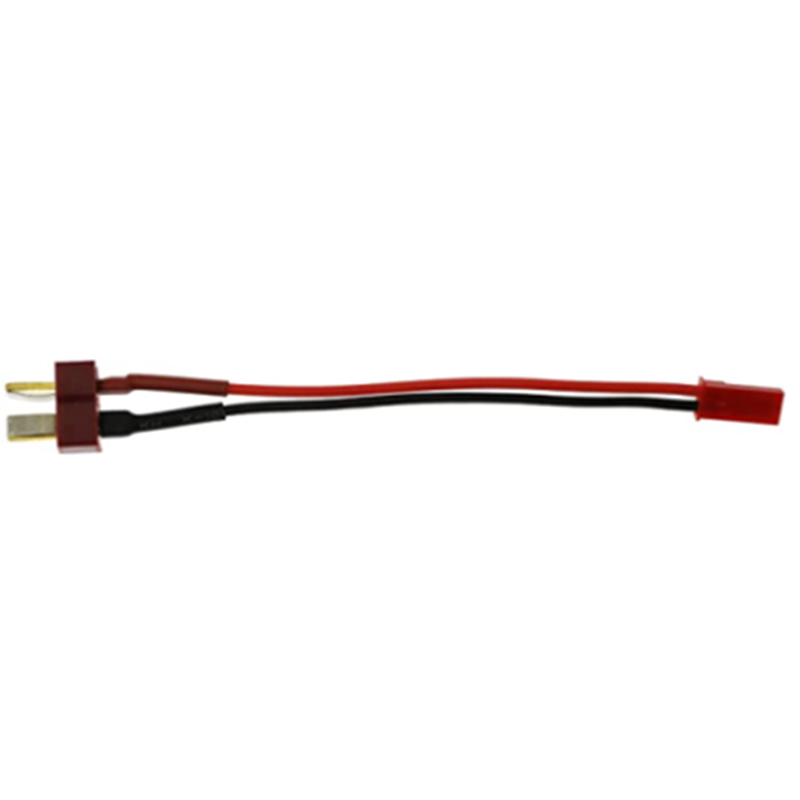
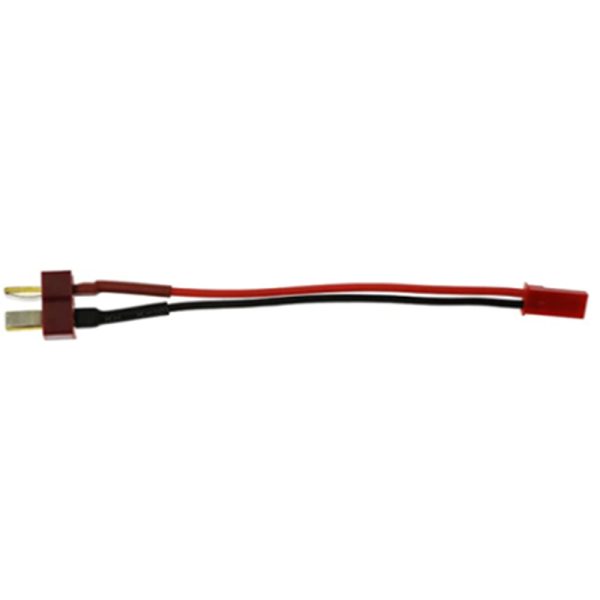
The Dean male to JST female connector 10 cm is a component used for safe and quick connection between electronic devices. This adapter allows for easy connection of a Dean connector to a JST connector, facilitating the use of LIPO batteries or other devices that use JST connectors.
Features
- Cable length: 10 cm
- Dean male connector
- JST female connector
What it is for
This connector is ideal for electronic projects that require a stable and secure connection between a device and a LIPO battery or other devices with JST connectors. It is particularly useful for Arduino, 3D printing, and portable power systems.
Tutorial: How to use Dean to JST connector
The Dean to JST connector is used to connect electronic devices that require a specific adapter. This component is ideal for makers working on Arduino projects, 3D printing, and power systems.
What you need
- Arduino Uno
- LIPO Battery
- Wire Stripper Tool
- Soldering Wire Cutter
Steps
- Check the compatibility of the Dean and JST connector with your devices.
- Cut the power supply wires of your device so that they can be connected to the Dean connector.
- Use the wire stripper tool to strip the power supply wires.
- Insert the stripped wires into the Dean connector according to the correct polarity.
- Use the soldering wire cutter to secure the wires inside the Dean connector.
- Repeat steps 2-4 for the JST side of the connector.
- Check the connection with a multimeter to ensure that the contacts are properly connected.
- Test the connector by connecting electronic devices to ensure everything works correctly.
Mini project
Create a portable power supply for your Arduino project using a LIPO battery and the JST connector.
Common mistakes
- Do not check the polarity of the wires before installation.
- Do not secure the wires properly inside the connector.
- Use a Dean connector incompatible with the device.
- Do not check the connection before using the connector.
Recommended accessories
- LIPO battery
- Slicing cutter
- Wire stripper
- Multimeter
Frequently asked questions
Is the Dean connector to JST compatible with all devices?
Check the datasheet of your device to ensure compatibility.
How can I check the polarity of the wires?
Use a multimeter to check the polarity of the wires before installation.
What tools are needed to install the connector?
Wire stripper tool, wire cutter, and multimeter.
Reviews
There are no reviews yet.