 EN
 IT Italiano
 ES Español
 FR Français
 DE Deutsch
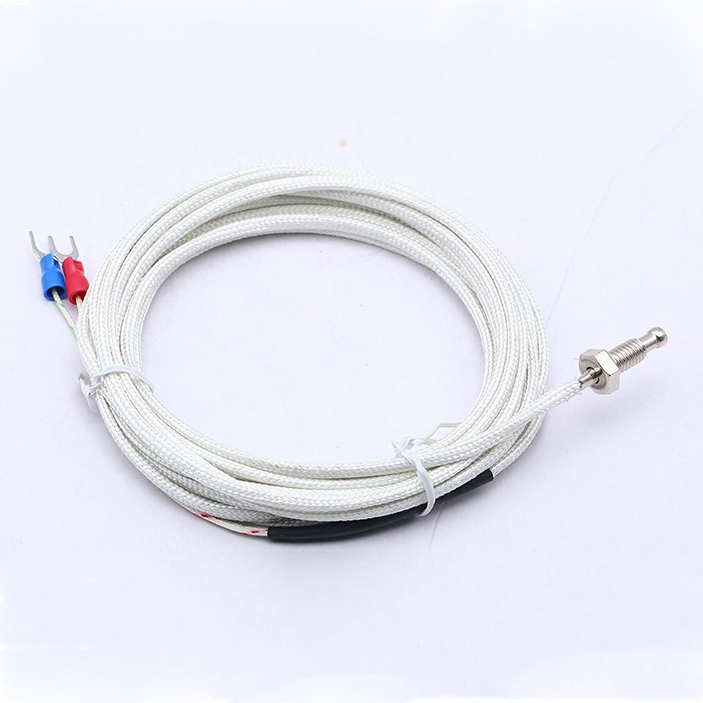
Description
Tutorial: How to Use M6 Thread Terminal Type K Thermocouple Temperature Sensor
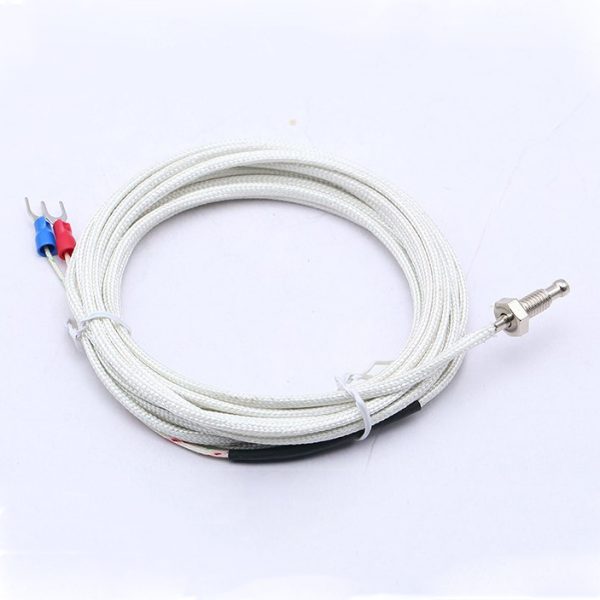
The M6 thread terminal type K thermocouple temperature sensor is an ideal component for measuring temperatures across a wide range of applications, from 3D printing to laboratory temperature regulation. This sensor is particularly useful for makers seeking a reliable and precise method for monitoring temperatures.
What you need
- Arduino or compatible microcontroller
- Electronic Connection
- Programming Software (e.g., Arduino IDE)
Steps
- Install the temperature sensor in a position that reflects the desired temperature
- Connect the sensor connectors to the microcontroller following the datasheet
- Install the necessary library for the type K thermocouple
- Write a sketch that reads data from the sensor
- Program the microcontroller with the written sketch
- Check proper communication between the sensor and the microcontroller
- Display temperature data on the serial monitor
- Adjust the code as needed to fit your requirements
Example code
/*
  Esempio di codice per leggere i dati dalla termocoppia tipo K
  Verifica sul datasheet per specifiche tecniche
*/
#include <Adafruit_MAX31855.h>

#define CS_PIN 10
Adafruit_MAX31855 thermocouple(CS_PIN);

void setup(void) {
  Serial.begin(9600);
}

void loop(void) {
  float tempC = thermocouple.celsius();
  Serial.print(tempC);
  Serial.println("C");
}
Mini project
Create a thermal alarm system that sends an email or Telegram message when the temperature exceeds a certain limit. This project can be completed in approximately 30 minutes.
Common mistakes
- Incorrectly connecting the sensor pins to the microcontroller
- Incorrectly installing the required library
- Incorrectly configuring the microcontroller to read data from the sensor
- Not calibrating the sensor for specific usage conditions
Recommended accessories
- Arduino Uno
- MAX31855 Library
- Compatible microcontroller
- 3D printing for projects requiring thermal control
Frequently asked questions
How do I calibrate the sensor?
Check the datasheet for specific calibration instructions.
Can I connect the sensor to a Raspberry Pi?
Yes, but make sure to use the appropriate library for the Raspberry Pi.
What temperature can it measure?
Check the datasheet for the supported temperature range.
Reviews
There are no reviews yet.