 EN
 IT Italiano
 ES Español
 FR Français
 DE Deutsch
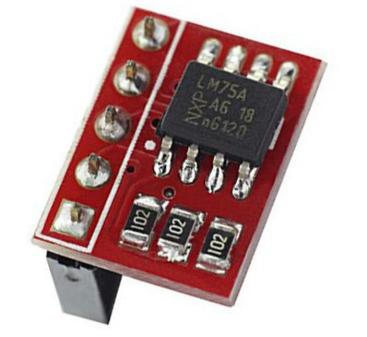
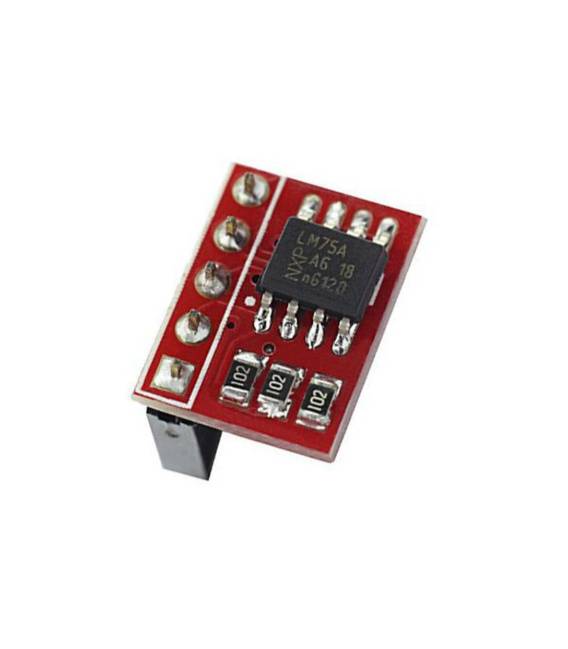
Description
Tutorial: How to Use LM75A I2C Temperature Sensor
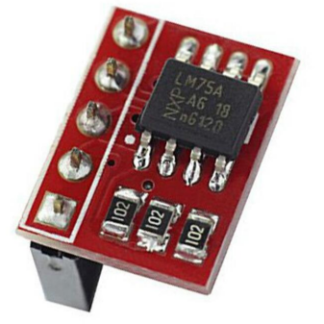
The LM75A module is a digital temperature sensor that communicates through the I2C interface. It is ideal for projects requiring accurate temperature measurement, such as thermal alarm systems or environmental monitoring.
What you need
- Arduino
- development computer with software
- 3.3V-5V power supply
- jumper wires
- LCD screen (optional for temperature display)
Steps
- Connect the VCC and GND pins of the LM75A module to the project power supply (3.3V-5V).
- Connect the SDA and SCL pins of the LM75A module to the corresponding pins of the Arduino.
- Install the Wire library to manage I2C communication.
- Include the LM75A library in the Arduino code.
- Create an LM75A object and initialize it with the I2C address of the sensor.
- Read the temperature from the sensor and display it on the screen or a display.
- Verify the correct functioning of the sensor with an example code.
- Add thermal alarm management based on the detected temperature values.
Example code
/* Includi la libreria Wire */
#include <Wire.h>
/* Includi la libreria LM75A */
#include <LM75A.h>
/* Crea un oggetto LM75A */
LM75A lm75a(0x90);
void setup() {
  Serial.begin(9600);
}
void loop() {
  float temp = lm75a.readTemperature();
  Serial.print("Temperatura: ");
  Serial.println(temp);
  delay(1000);
}
Mini project
Create a thermal alarm system that sends an email or Telegram message when the temperature exceeds a certain value.
Common mistakes
- Do not verify the correct power supply of the module.
- Do not install the LM75A library correctly.
- Do not configure the I2C address of the sensor correctly.
- Do not verify the correctness of the detected temperature values.
Recommended accessories
- 16×2 LCD Screen
- ESP8266 WiFi Module
- SIM800L SMS Module
- Relay Module 5V
Frequently asked questions
How can I configure the I2C address of the sensor?
Check the sensor datasheet to set the I2C address correctly.
Which measurement units are supported?
The sensor provides temperature in degrees Celsius.
Reviews
There are no reviews yet.