 EN
 IT Italiano
 ES Español
 FR Français
 DE Deutsch
Description
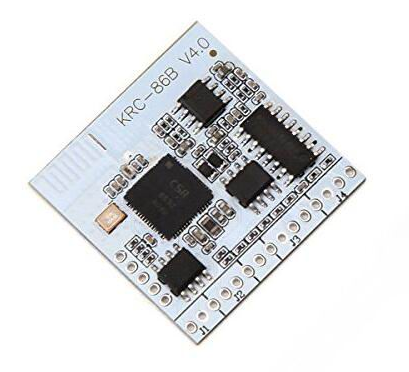
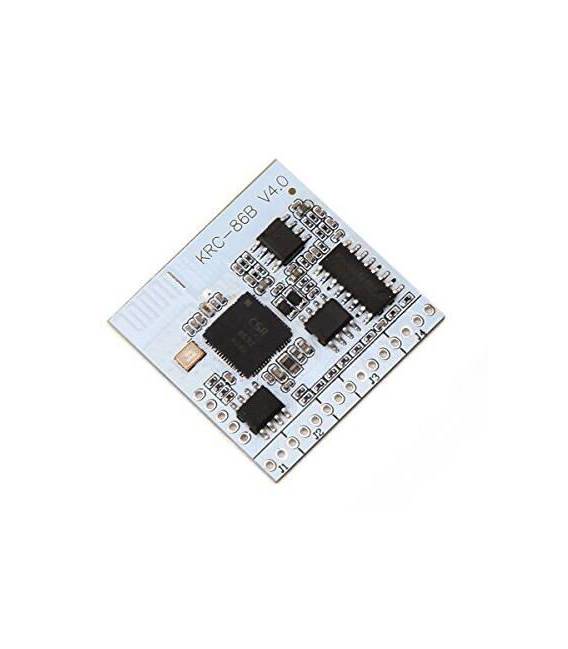
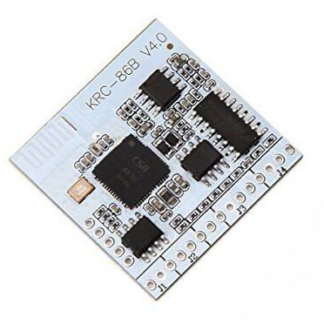
Bluetooth 4.0 Stereo Audio Receiver Module KRC-86B
Description:
Uses the CSR8630 Bluetooth chip supporting A2DP, AVRCP, Bluetooth version: V4.0 + EDR
Automatic control technology, simple operation, easy to use
If the connection button, you can control your phone or computer to play / pause, change volume
Supports two devices connected simultaneously
Supports automatic power-off connection function
Function:
VCC : Positive power supply 3V-5V
GND: Negative
LED +: Anode diode connected
LED-: Cathode diode connected
AGND: Connected to an audio signal Cathode
OUTR: Right output
OUTL: Left output
INR: Right AUX input
INL: Left AUX input
com: Common button terminal
Play / Stop: Play / Pause
VOL + / NEXT: briefly press to skip to the next track, hold to increase volume
VOL – / REV: briefly press to skip to the previous track, hold to decrease volume
IT : The Bluetooth connection is high level (3.3 V), unplug the low level Bluetooth
NC: reserved function
Tutorial: How to use KRC-86B Bluetooth 4.0 Stereo Audio Receiver Module
The KRC-86B is a Bluetooth 4.0 module used to stream audio from a Bluetooth device to an audio system or microcontroller. This component is ideal for makers who want to integrate Bluetooth audio transmission into their projects.
What you need
- Arduino UNO or compatible
- USB connection for uploading code
- KRC-86B module pinout
- Arduino development software
Steps
- Connect the VCC and GND pins of the KRC-86B module to the Arduino power supply
- Connect the TX pin of the KRC-86B module to the RX pin of the Arduino microcontroller
- Connect the RX pin of the KRC-86B module to the TX pin of the Arduino microcontroller
- Verify the connection of the INT and RESET pins of the KRC-86B module with the corresponding pins of the Arduino
- Install the Bluetooth HC-05 or similar library in the Arduino software
- Load a sample sketch to initialize the KRC-86B module
- Configure the KRC-86B module to establish a Bluetooth connection
- Transmit audio from a Bluetooth device to the KRC-86B module
Example code
void setup() {
 Serial.begin(9600);
 // Inizializza il modulo Bluetooth
}

void loop() {
 // Attende la connessione Bluetooth
 // Trasmette audio dal dispositivo Bluetooth al modulo
}
Mini project
Create a portable Bluetooth speaker system with the Arduino and the KRC-86B module. Connect the audio from the module to an amplifier and a speaker. Try to transmit music from a smartphone or tablet.
Common mistakes
- Do not verify the proper power supply of the module
- Do not configure the Bluetooth module correctly
- Do not connect the TX and RX pins correctly
- Do not install the required library for the module
Recommended accessories
- Speaker with audio input
- Audio amplifier
- USB connection to upload code
- Portable battery to power the Arduino
Frequently asked questions
How can I check the Bluetooth connection?
Verify the connection using the module’s debugging software or a specific Bluetooth app for your device.
Which devices are compatible?
Bluetooth 4.0 or higher devices such as smartphones, tablets, and computers.
How can I increase the portability of my project?
Use a portable battery to power the Arduino and the Bluetooth module.
Reviews
There are no reviews yet.