 EN
 IT Italiano
 ES Español
 FR Français
 DE Deutsch
Description
What it is
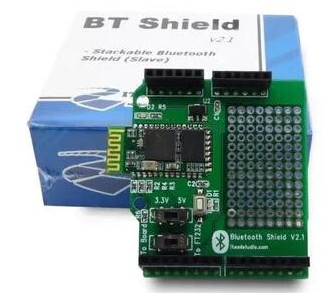
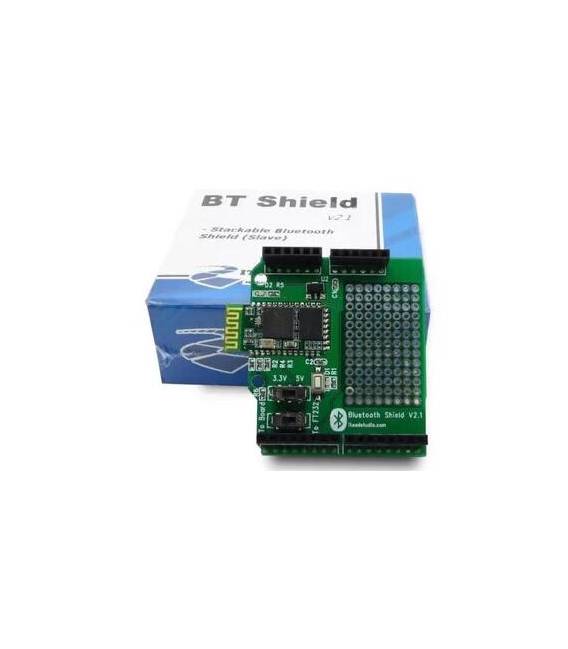
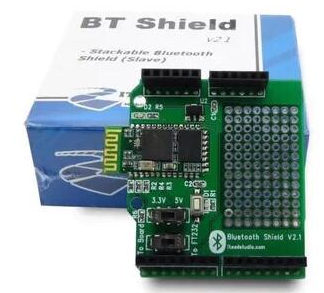
The HC-06 Bluetooth Shield is a wireless module compatible with Arduino that enables communication between electronic devices via Bluetooth.
Features
- Compatible with Arduino
- HC-06 Bluetooth Module
- SKU: ARD009504
- Price: 15.04 €
What it is for
The HC-06 Bluetooth Shield is ideal for electronic and IoT projects that require wireless communication with mobile devices or other Bluetooth modules. It can be used to control sensors and actuators remotely, create home alarm systems, or develop monitoring applications.
Tutorial: How to use HC-06 Bluetooth Shield for Arduino
The HC-06 Bluetooth Shield is a wireless module that allows connection to mobile devices or other Bluetooth modules. Ideal for projects where you want to control sensors and actuators remotely.
What you need
- Arduino Uno
- HC-06 Bluetooth Shield
- USB A-Micro B Cable
- Smartphone with dedicated app
Steps
- Connect the HC-06 Shield to the Arduino Uno using compatible connectors.
- Download and install the SoftwareSerial library from File > Preferences > Additional Board Manager URLs, then from Manage Libraries > Add URL: https://github.com/arduino-libraries/SoftwareSerial
- Open a new sketch in Arduino IDE and include the library with ‘#include
‘ - Define the connection pins between the HC-06 Shield and the Arduino, for example RX -> 10 and TX -> 11.
- Create a SoftwareSerial object to manage communications: ‘SoftwareSerial BT(10, 11);’
- In the setup(), open the Bluetooth connection with ‘BT.begin(check the datasheet);’ and set the baud rate for the serial monitor.
- In the loop(), receive data from the Bluetooth module with ‘int val = BT.available(); if (val) Serial.write(BT.read());’
- Send commands to the module from Arduino using ‘BT.println(“Command”);’
Example code
// Includi la libreria
#include <SoftwareSerial.h>
// Definisci i pin di connessione
#define RX_PIN 10
#define TX_PIN 11
// Crea l'oggetto SoftwareSerial
SoftwareSerial BT(RX_PIN, TX_PIN);
void setup() {
  Serial.begin(9600);
  BT.begin(verifica sul datasheet);
}
void loop() {
  if (BT.available())
    Serial.write(BT.read());
}
Mini project
Create a home security system controlled via Bluetooth. Connect a motion sensor to the HC-06 Shield and send notifications to your smartphone when movement is detected.
Common mistakes
- Error in baud rate setting
- Incorrect RX/TX pins
- SoftwareSerial library not installed
- Incorrect Bluetooth commands
Recommended accessories
- Arduino Uno R3
- PIR motion sensor
- Alarm buzzer
- External antenna to improve connection
Frequently asked questions
How do I set the baud rate?
Check the datasheet of the HC-06 module.
What commands can I send to the module?
Consult the official documentation or the datasheet for available commands.
Reviews
There are no reviews yet.