 EN
 IT Italiano
 ES Español
 FR Français
 DE Deutsch
Description
What it is
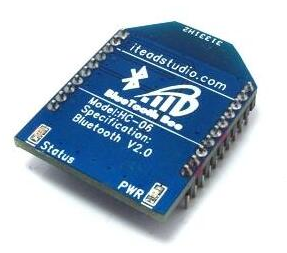
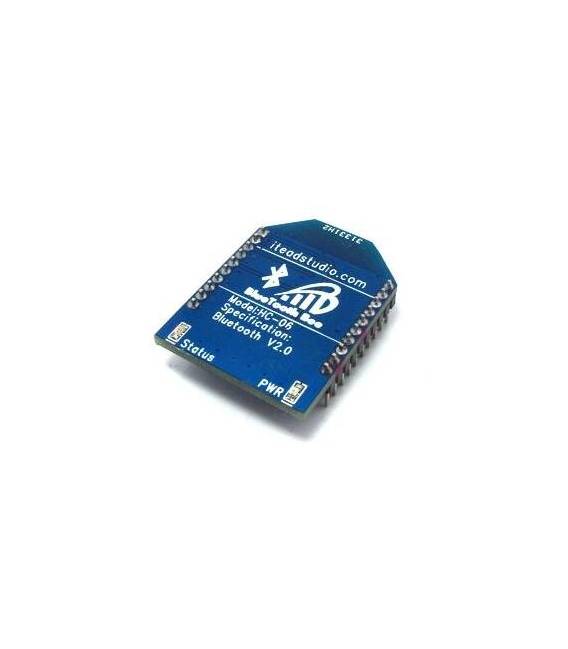
The BTBee Bluetooth Module is a tool to add Bluetooth communication capabilities to your Arduino projects.
Features
- Bluetooth Connection
- Compatible with Arduino
What it is for
The BTBee module allows you to connect your Arduino projects to mobile devices such as smartphones and tablets. Ideal for Internet of Things (IoT) and robotics projects, it enables remote control of your Arduino devices via a Bluetooth app. Examples of use include controlling a DC motor via an app or creating remote monitoring systems.
Tutorial: How to Use BTBee
The BTBee Bluetooth Module is perfect for connecting your Arduino projects to mobile devices. Useful for anyone who wants to add Bluetooth communication capabilities to their prototypes.
What you need
- Arduino UNO or compatible
- USB cable
- Bluetooth antenna
- Mobile device with Bluetooth
Steps
- 1. Installation: Download the Bluetooth driver for your Arduino board.
- 2. Connection: Connect the BTBee module to the Arduino via the pins specified in the datasheet.
- 3. Antenna: Mount the Bluetooth antenna on the module.
- 4. Code: Load the provided source code onto your Arduino.
- 5. Configuration: Set the device name and password on the module.
- 6. Test: Connect your smartphone to the Bluetooth module.
- 7. Commands: Send commands from smartphone to Arduino or vice versa.
- 8. Debug: Check functionality with a serial monitor.
Example code
void setup() { SerialBT.begin("ArduinoBT"); } void loop() { if (SerialBT.available()) { String data = SerialBT.readString(); Serial.println(data); } }Mini project
Create a simple remote control command for a DC motor using a Bluetooth app on a smartphone.
Common mistakes
- Forgetting to install the Bluetooth drivers.
- Connecting the module incorrectly.
- Setting the device name and password correctly.
- Not having a power switch for the DC motor.
Recommended accessories
- DC Motors
- Bluetooth app for smartphone
- 1kΩ resistor
- Bluetooth antenna
Frequently asked questions
How can I check if the Bluetooth module is functioning?
Check the connection with a Bluetooth app on a smartphone.
Is a specific driver required for the module?
Yes, check the datasheet for the required drivers.
Can I use the module with an Arduino Mega?
Check the datasheet to see if the module is compatible with your board.
What commands can the module send?
Check the datasheet for supported commands.

Reviews
There are no reviews yet.