 EN
 IT Italiano
 ES Español
 FR Français
 DE Deutsch
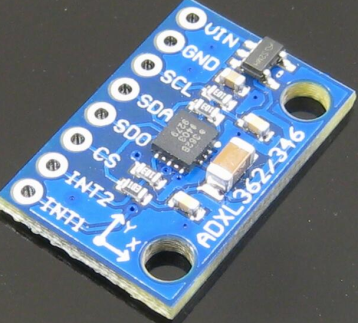
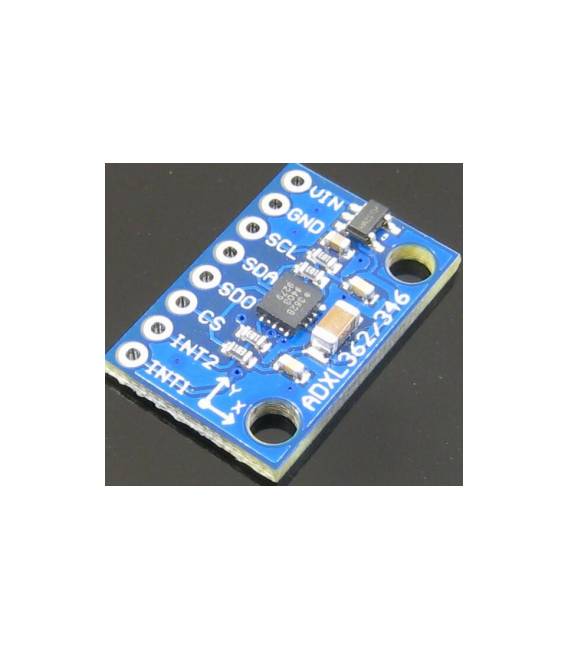
Description
What it is
The GY-362 ADXL362 is a 3-axis accelerometer sensor module that uses the SPI interface. It is designed to measure acceleration in three directions (x, y, z).
Features
- Sensor: ADXL362
- Interface: SPI
- Measurement: 3-axis acceleration (x, y, z)
- SKU: ARD009441
- Price: 9.32 €
What it is for
The GY-362 ADXL362 module is useful for robotics projects, motion control, and vibration monitoring. It can be used to detect robot movement, measure machine vibrations, or control vehicle acceleration. It is compatible with Arduino and other microcontrollers that support the SPI interface.
Tutorial: How to use GY-362
The GY-362 is a 3-axis accelerometer sensor that can be used to measure vibrations and movements. Useful for robotics and motion control projects.
What you need
- GY-362
- Arduino
- Power supply cable (5V)
- Pull-up resistor (10kΩ)
Steps
- 1. Mount the GY-362 on the circuit using a prototyping frame.
- 2. Connect GND of the GY-362 to GND Arduino.
- 3. Connect VCC of the GY-362 to 5V Arduino.
- 4. Connect the SDA line of the GY-362 to an SPI pin of Arduino (AD0).
- 5. Connect the SCL line of the GY-362 to an SPI pin of Arduino (AD1).
- 6. Connect the INT line of the GY-362 to a digital pin of Arduino (optional).
- 7. Connect the pull-up resistor between SCL and VCC.
- 8. Load the example code onto Arduino.
Example code
```c
#include <Wire.h>

void setup() {
  Wire.begin();
  Serial.begin(9600);
}

void loop() {
  int16_t ax, ay, az;
  Wire.beginTransmission(0x1D);
  Wire.write(0x32);
  Wire.endTransmission();
  Wire.requestFrom(0x1D, 6);
  ax = Wire.read() << 8 | Wire.read();
  ay = Wire.read() << 8 | Wire.read();
  az = Wire.read() << 8 | Wire.read();
  Serial.print("ax: "); Serial.println(ax);
  Serial.print("ay: "); Serial.println(ay);
  Serial.print("az: "); Serial.println(az);
  delay(1000);
}
```
Mini project
Create a motion control device for a robot. Connect the GY-362 to the robot and use the example code to control the robot’s movement based on acceleration measurements.
Common mistakes
- Forget to connect the pull-up resistor.
- Use incorrect SPI pins.
- Do not initialize the Wire library.
- Use wrong address in I2C communication.
Recommended accessories
- Arduino Nano
- 10kΩ resistor
- Prototyping frame
- Power cable
Frequently asked questions
The sensor is not working, what can I do?
Check the connections and verify in the datasheet that the I2C address is correct.
What is the maximum sampling frequency?
Check the datasheet, but generally it is 1600 Hz.
Can I use a power supply different from 5V?
Check the datasheet, but generally it works with 3.3V or 5V.
Reviews
There are no reviews yet.