 EN
 IT Italiano
 ES Español
 FR Français
 DE Deutsch
Description
What it is
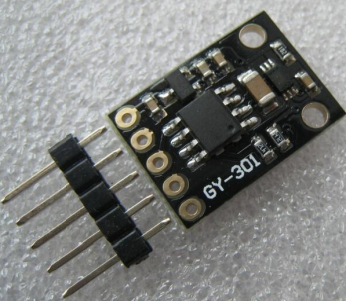
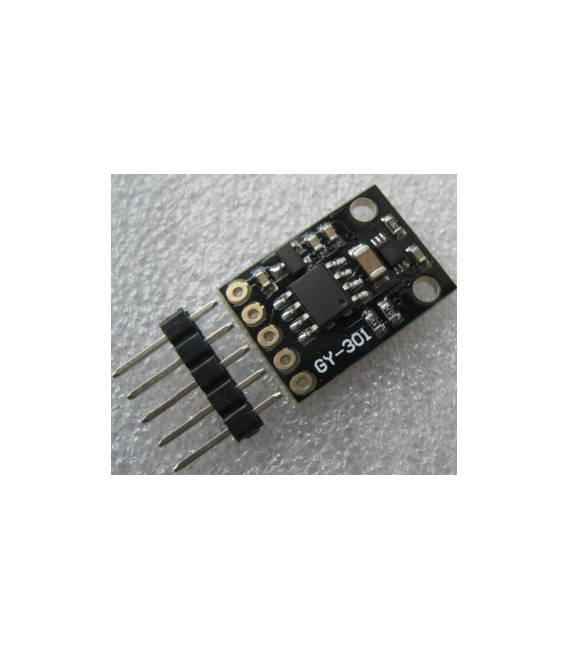
The GY-301 BH1750 module is a digital light sensor that allows for precise measurement of ambient light levels. This device is used in various electronic projects to monitor and process data on ambient light.
Features
- Digital Light Sensor BH1750
- Ambient Light Measurement
What it is for
The GY-301 module can be used to create projects that automatically turn lights on or off based on ambient light levels. It is compatible with Arduino and ESP, making it easy to integrate into various electronic control devices.
Tutorial: How to Use GY-301
The GY-301 is a digital light sensor ideal for measuring light intensity in various environments. Useful for lighting projects, automatic light control, and light monitoring.
What you need
- GY-301
- Arduino
- 5V Cable
- 10kΩ Resistor
Steps
- 1. Connect the GY-301 to the Arduino via the following pins: VCC to 5V, GND to GND, SDA to SDA, SCL to SCL.
- 2. Add a 10kΩ resistor between VCC and SDA to protect the I2C port.
- 3. Download the BH1750 driver for Arduino from the Arduino website.
- 4. Create a new sketch.
- 5. Insert #include <Wire.h> and #include <BH1750.h> to include the necessary libraries.
- 6. Initialize the sensor with: BH1750 sensor(&Wire);
- 7. Read the light with: sensor.getLight(&lux);
- 8. Print the light on Serial with: Serial.println(lux);
Example code
void loop() { sensor.getLight(&lux); Serial.println(lux); delay(1000); }Mini project
Create a project that turns a light on and off automatically based on ambient light.
Common mistakes
- Forget to connect the 10kΩ resistor.
- Connect SDA and SCL directly to the microcontroller without a resistor.
- Omit the inclusion of the necessary libraries.
- Fail to configure the BH1750 sensor correctly.
Recommended accessories
- Arduino Nano
- LED Light
- Relay
- USB Cable
Frequently asked questions
How can I calibrate the sensor?
Check the datasheet. The sensor does not require calibration.
Does the sensor work with Arduino Uno?
Yes, it works with Arduino Uno.
Does the sensor work with batteries?
Check the datasheet. It may require external power.
Reviews
There are no reviews yet.