 EN
 IT Italiano
 ES Español
 FR Français
 DE Deutsch
Description
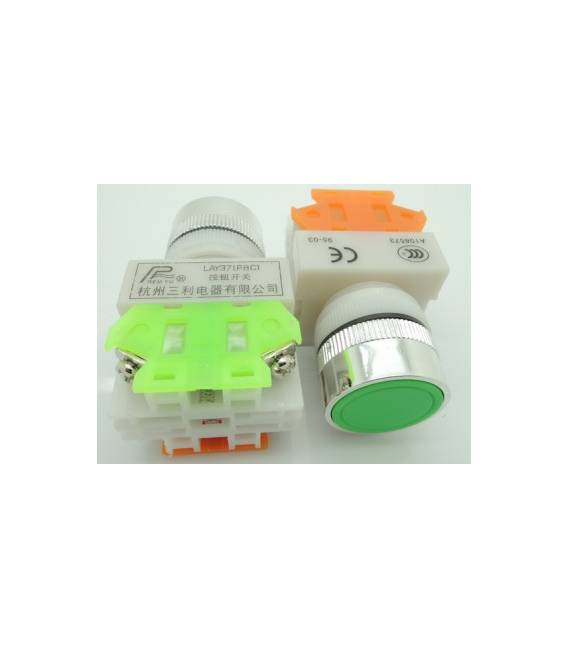
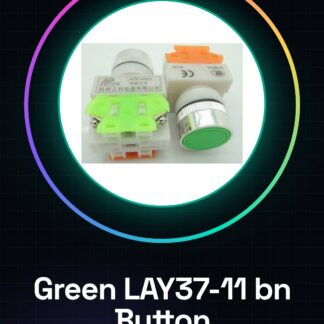
Green LAY37-11 bn (Y090-11 bn) flat button switch. We have datasheets for all components; if not available in the product download sheet, contact us via the contact form and we will publish it as soon as possible on our website. Tutorial: How to use Green LAY37-11 bn (Y090-11 bn) Flat Button The Green LAY37-11 bn button is a simple yet essential component for Arduino and general electronics projects, mainly used to control device functions with the touch of a button. Connect one end of the button to an Arduino digital pin; check the datasheet for specific connection details. Connect the other end of the button to ground (GND). Write an Arduino sketch that reads the state of the button and prints messages based on its status. Upload the code to your Arduino. Press the button to see the device’s reaction. Example Code const int buttonPin = 2; int buttonState; void setup() { pinMode(buttonPin, INPUT); Serial.begin(9600); } void loop() { buttonState = digitalRead(buttonPin); if (buttonState == HIGH) { Serial.println(“Button pressed”); } else { Serial.println(“Button released”); } } Mini-project Create a home alarm system that turns on a light or sounds an alert when the button is pressed. Common mistakes Incorrectly connecting the button to ground. Ignoring necessary pull-up/pull-down resistors. Using outdated code to read the button state. Failing to test the button before completing the project. Recommended accessories 10kΩ resistor Buzzer LED Frequently Asked Questions What is the operating voltage? Check the datasheet. How much space is required for installing the button? Check the datasheet.
Reviews
There are no reviews yet.