 EN
 IT Italiano
 ES Español
 FR Français
 DE Deutsch
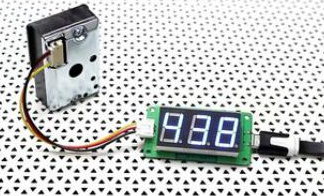
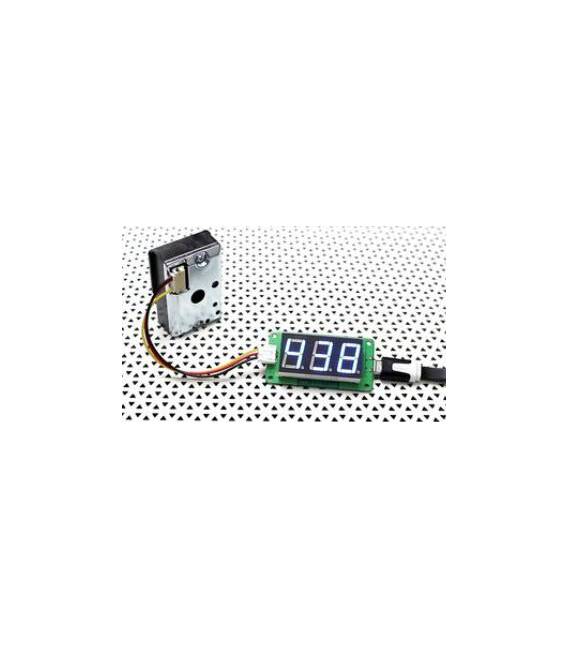
Description
What it is
The GP2Y1051AU0F + PM2.5 Reader is a sensor designed to measure the concentration of fine particles (PM2.5) in the air.
Features
- Name: GP2Y1051AU0F + PM2.5 Reader
- SKU: ARD009200
- Price: 22.91 €
- Category: Gas, Sensors
- Measurement: Particulate PM2.5 in the air
What it is for
This sensor is ideal for environmental monitoring projects with Arduino. It can be used to create an air quality monitor that displays real-time PM2.5 values. It is useful for makers working in indoor and outdoor environments.
Tutorial: How to use GP2Y1051AU0F+
The GP2Y1051AU0F+ is a PM2.5 particulate sensor, ideal for monitoring the air around you. Useful for makers working in indoor and outdoor environments.
What you need
- GP2Y1051AU0F+
- Arduino
- 10 kΩ resistor
- 5V power cable
Steps
- 1. Connect the 10 kΩ resistor between VCC and GND of the sensor.
- 2. Connect GND of the sensor to GND Arduino.
- 3. Connect VCC of the sensor to 5V Arduino.
- 4. Connect the SIG pin of the sensor to a digital pin on Arduino.
- 5. Load the following code onto Arduino.
- 6. Check the PM2.5 data on the serial monitor.
- 7. Refer to the datasheet for further details.
- 8. Test the sensor in various environments.
Example code
```cpp
#include <Wire.h>
#include <Adafruit_Sensor.h>
#include <Adafruit_BME280.h>

Adafruit_BME280 bme;

void setup() {
  Serial.begin(9600);
}

void loop() {
  float pm25 = bme.readParticulatePM25();
  Serial.println(pm25);
  delay(1000);
}
```
Mini project
Create an air quality monitor using the GP2Y1051AU0F+ and a display LCD to show real-time PM2.5 values.
Common mistakes
- Forget to connect the 10 kΩ resistor.
- Connect VCC to 3.3V instead of 5V.
- Forget to initialize the serial monitor.
- Incorrectly read the sensor data.
Recommended accessories
- Display LCD
- Arduino UNO
- 3.7V battery
- Arduino protective case
Frequently asked questions
What is the difference between PM2.5 and PM10?
PM2.5 are particles smaller than 2.5 μm, more dangerous for health. PM10 are larger, but still problematic.
Does the sensor work with Arduino Mega?
Yes, but make sure that VCC and GND are correctly connected.
How can I calibrate the sensor?
Check the datasheet for specific calibration instructions.
Does the sensor work with batteries?
Yes, but it may work better with regulated power.
Reviews
There are no reviews yet.