 EN
 IT Italiano
 ES Español
 FR Français
 DE Deutsch
Description
What it is
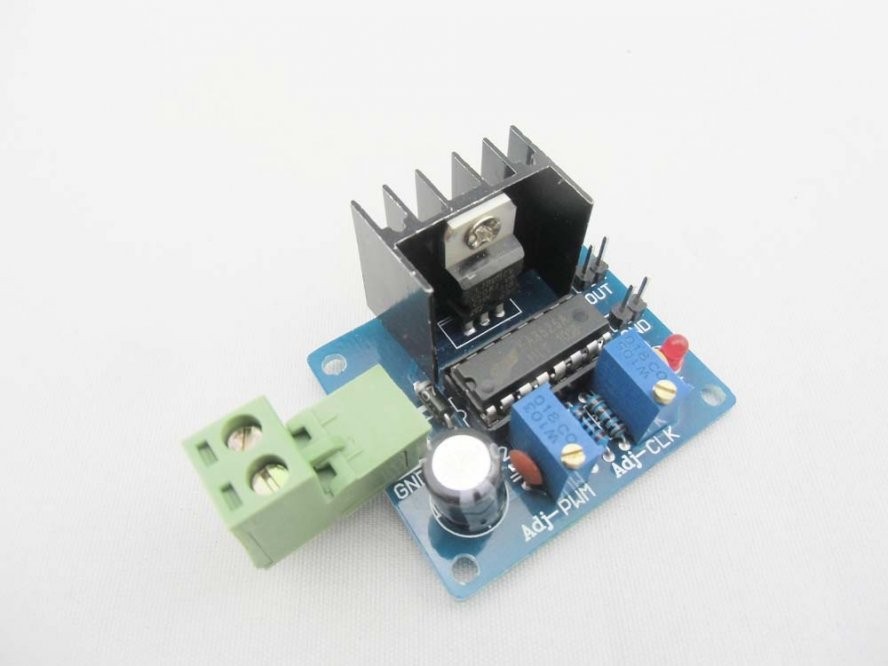
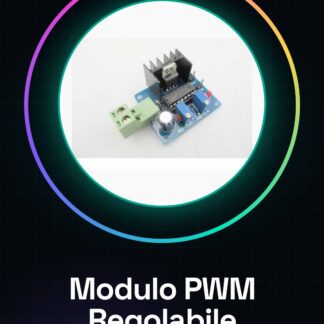
The Adjustable Frequency and PWM Output Signal Module for Arduino L7805CV SG3525 is an electronic component that allows the generation of PWM (Pulse Width Modulation) signals with adjustable frequency and duty cycle. It is ideal for controlling DC motor speed in Arduino projects.
Features
- Adjustable frequency and duty cycle
- PWM output signal
- Compatible with Arduino
- SKU: ARD00328
- Price: 5.89 €
What it is for
This module is useful for controlling the speed of DC motors by varying the duty cycle of the PWM signal. It can be used in Arduino projects to create control systems for robots, autonomous vehicles, or any other application that requires the regulation of DC motor speed.
Tutorial: How to use L7805CV SG3525 Module
The L7805CV SG3525 module is ideal for controlling electric motors, adjusting both the frequency and the duty cycle of the PWM signal. It is useful for beginners and intermediates working with DC motors.
What you need
- Arduino
- Power Supply Cable
- 10kΩ Resistor
- DC Motors
Steps
- 1. Connect the 5V power supply to the VCC pin of the module.
- 2. Connect the Arduino ground (GND) to the GND pin of the module.
- 3. Connect the Arduino PWM signal (for example pin 9) to the IN pin of the module.
- 4. Connect the OUT pin of the module to the DC motor.
- 5. Connect the 10kΩ resistor between the VCC and GND pins for protection.
- 6. Load the provided Arduino code.
- 7. Adjust the frequency using the `analogWrite()` function.
- 8. Check the datasheet for further settings.
Example code
```
int pin = 9;
void setup() {
  pinMode(pin, OUTPUT);
}
void loop() {
  analogWrite(pin, 255); // 100% duty cycle
  delay(2000);
  analogWrite(pin, 127); // 50% duty cycle
  delay(2000);
  analogWrite(pin, 0); // 0% duty cycle
  delay(2000);
}
```
Mini project
Build a control system for a DC motor using the L7805CV SG3525 module and an Arduino. Adjust the motor speed by varying the duty cycle.
Common mistakes
- Do not use PWM pins other than those specified in the datasheet.
- Omit the protection resistor.
- Do not check the specifications on the datasheet.
- Connect the motor directly to the OUT pin without going through the resistor.
Recommended accessories
- DC Motors
- 10kΩ Resistor
- Power Cable
Frequently asked questions
Which PWM pins can I use?
Use only the PWM pins supported by the module, check the datasheet.
Does the module support 12V motors?
Check the datasheet for the maximum motor voltage.
Can I use the module to control multiple motors?
The module supports only one motor at a time, check the datasheet.
Reviews
There are no reviews yet.