 EN
 IT Italiano
 ES Español
 FR Français
 DE Deutsch
Description
What it is
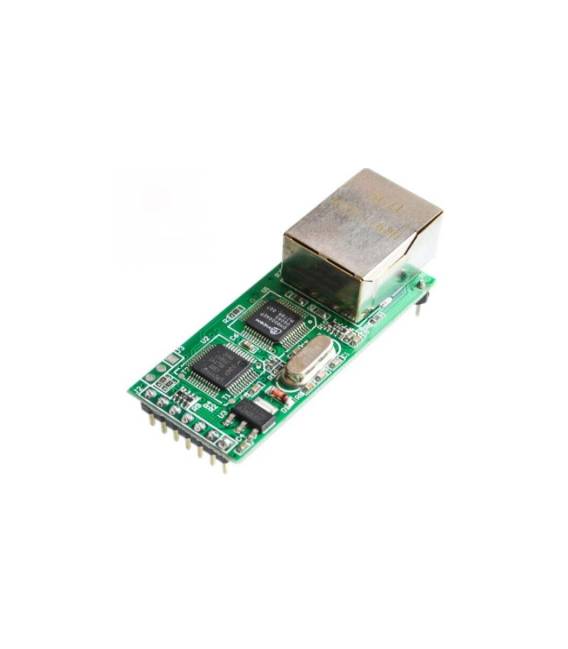
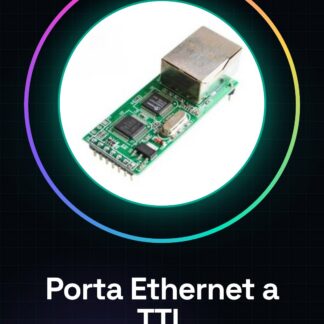
The ARD0011521 Ethernet to TTL adapter converts an Ethernet connection to a TTL (Transaction Transfer Level) connection for Arduino. It allows serial devices to be connected to an Ethernet network.
Features
- Ethernet to TTL Conversion
- RJ45 Port
- SKU: ARD0011521
- Price: 11.82 €
- Category: Pre-order
What it is for
This module is ideal for those who want to monitor or control remote devices from a local network or the Internet. For example, you can create a remote monitoring system for a temperature sensor connected to an Arduino. The sensor is connected to the TTL module and the data is monitored from a computer.
Tutorial: How to Use Ethernet to TTL Network Adapter
The Ethernet to TTL Network Adapter allows you to connect serial devices to an Ethernet network. Ideal for those who want to monitor or control remote devices from a local network or the Internet.
What you need
- Ethernet to TTL Network Adapter
- Ethernet Cable
- Arduino or serial device
- Computer with network connectivity
Steps
- Connect the Ethernet cable to the RJ45 port of the network port.
- Connect the TX and RX pins of the serial port to the TTL module of the adapter.
- Configure the serial device (Arduino) for serial communication.
- Enter the IP address of the serial device in the serial monitoring software.
- Verify the serial connection through the monitoring software.
- If necessary, adjust the serial configuration in the monitoring software.
- Try to send data from the computer to the serial device.
- Verify the reception of data on the serial device.
Example code
Serial.begin(9600);Mini project
Create a remote monitoring system for a temperature sensor connected to an Arduino. Connect the sensor to the TTL module and monitor the data from the computer.
Common mistakes
- The serial port does not respond.
- The IP address is incorrect.
- The serial transmission speed is not configured correctly.
- The Ethernet cable is not properly inserted.
Recommended accessories
- DS18B20 Temperature Sensor
- Arduino Uno
- FTDI Serial Cable
- Network Switch
Frequently asked questions
How can I configure the IP address?
Check the datasheet or product documentation for configuration instructions.
What is the recommended serial transmission speed?
Check the datasheet for the recommended transmission speed.
Can it be used with RS232 devices?
Check the datasheet for RS232 compatibility.



Reviews
There are no reviews yet.