 EN
 IT Italiano
 ES Español
 FR Français
 DE Deutsch
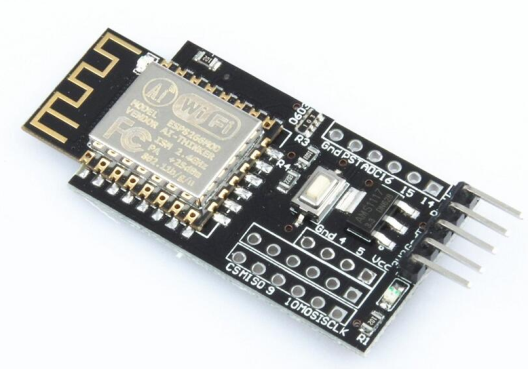
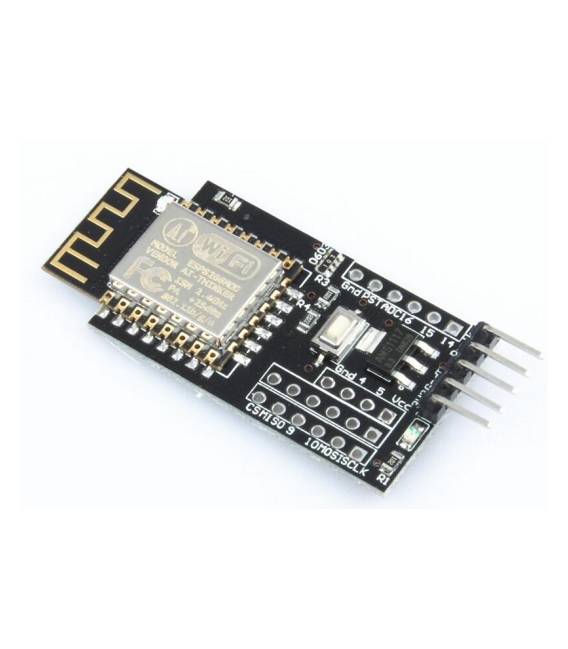
Description
What it is
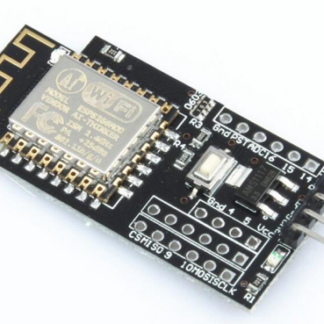
The NodeMCU ESP8266 WiFi development board is a WiFi module compatible with Arduino, ideal for Internet of Things (IoT) and home automation projects. It allows connecting electronic devices to the internet and controlling them remotely via apps or scripts.
Features
- Microcontroller: ESP-12F
- WiFi Protocol: 802.11b/g/n
- Programming Language: Lua and compatible with Arduino
- SKU: ARD009913
- Price: 10.03 €
What it is for
The NodeMCU board can be used to create a wide range of IoT projects, such as remote lighting systems, environmental sensors, monitoring systems, home automation, and much more. Its compatibility with Arduino and Lua simplifies the development and programming of complex projects.
Tutorial: How to use NodeMCU
The NodeMCU is a WiFi module compatible with Arduino, ideal for Internet of Things (IoT) and home automation projects.
What you need
- Micro USB cable
- USB hub (optional)
- PC with Arduino IDE installed
Steps
- 1. Install the Arduino IDE.
- 2. Download and install the adafruit-esp8266-uart library.
- 3. Connect the NodeMCU to your PC with the micro USB cable.
- 4. Select the NodeMCU board in the Tools > Board menu.
- 5. Select the serial port in the Tools > Port menu.
- 6. Upload the ‘Blink’ example code to test the connection.
- 7. Configure the WiFi network in the preferences.txt file.
- 8. Upload the WiFi configuration code.
Example code
void setup() { Serial.begin(115200); delay(1000); Serial.println("NodeMCU is online!");}void loop() {}Mini project
Create a simple remote lighting system: connect a relay to the NodeMCU and control the light intensity via a mobile app.
Common mistakes
- Forget to install the adafruit-esp8266-uart library.
- Connect the NodeMCU with an incompatible USB cable.
- Fail to configure the WiFi network correctly.
- Upload the code without selecting the serial port.
Recommended accessories
- Relay
- Light sensors
- USB cable
- ESP8266 microcontroller
Frequently asked questions
How to configure WiFi network?
Open preferences.txt, modify the ‘ssid’ and ‘password’ parameters, save and restart the code.
Why doesn’t it connect to the WiFi network?
Check the configuration in preferences.txt and make sure the network is enabled.
What are the minimum requirements for the PC?
A PC with Windows 7 or higher, macOS 10.7 or higher, or Linux.
Reviews
There are no reviews yet.