 EN
 IT Italiano
 ES Español
 FR Français
 DE Deutsch
Description
What it is
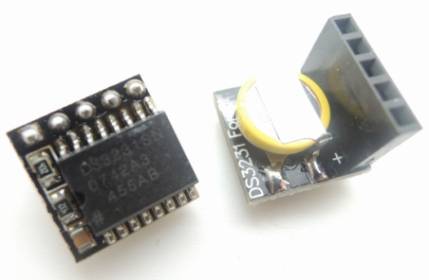
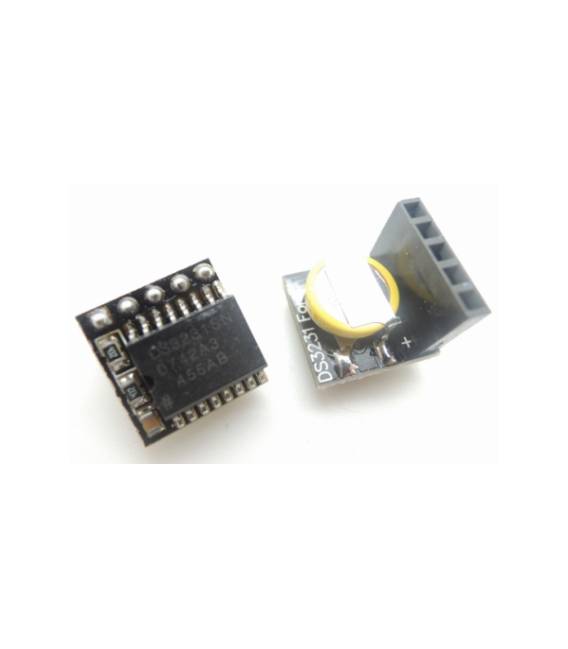
The DS3231 clock module for Raspberry PI is an electronic component that allows you to add a precise clock to your Raspberry Pi. It is based on the DS3231 RTC (Real Time Clock) chip, known for its accuracy.
Features
- Compatible with Raspberry PI
- Based on the DS3231 RTC chip
- Seismic precision (check the datasheet)
What it is for
This module is ideal for electronic projects that require a precise clock, such as stopwatches, alarms, or applications that need accurate real-time time. You can use it to record events, schedule activities, or simply keep track of time reliably.
Tutorial: How to use the DS3231 Clock Module
This DS3231 clock module is perfect for those who want to add temporal precision to their Raspberry PI. Useful for stopwatches, alarms, and applications that require a real-time clock.
What you need
- DS3231 Clock Module
- Raspberry PI
- I2C Cable
- 10kΩ Resistor
Steps
- 1. Check the datasheet for the module specifications.
- 2. Connect the I2C cable (SDA and SCL) to the Raspberry PI.
- 3. Connect a 10kΩ resistor between SDA and GND for protection.
- 4. Start the Raspberry PI.
- 5. Install the I2C drivers: `sudo apt-get install i2c-tools`.
- 6. Verify the presence of the module: `sudo i2cdetect -y 1`.
- 7. Download a sample code: `git clone https://github.com/adafruit/Adafruit_Python_DS3231`.
- 8. Run the code: `sudo python3 DS3231.py`.
Example code
```python
import time
from Adafruit_DS3231 import DS3231

i2c = board.I2C()
rtc = DS3231(i2c)

while True:
    print(rtc.datetime)
    time.sleep(1)
```
Mini project
Create a simple stopwatch. Set the clock, start the stopwatch and display the elapsed time.
Common mistakes
- Forget to connect the 10kΩ resistor.
- Connect the I2C cable incorrectly.
- Do not install the I2C drivers.
- Run the code without starting the Raspberry PI.
Recommended accessories
- I2C cable
- 10kΩ resistor
- Power supply block for Raspberry PI
- Environmental sensors for advanced applications
Frequently asked questions
How can I synchronize the clock with the internet?
Use an NTP (Network Time Protocol) service like `ntpd`.
Does the module work with Raspberry PI Zero?
Check compatibility in the datasheet.
Why doesn’t the module work?
Check connections, driver installation, and power presence on the Raspberry PI.



Reviews
There are no reviews yet.