 EN
 IT Italiano
 ES Español
 FR Français
 DE Deutsch
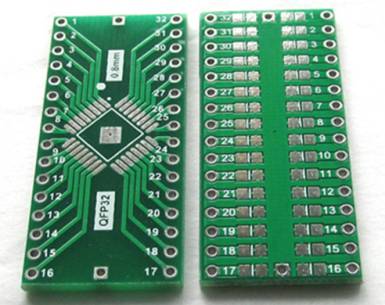
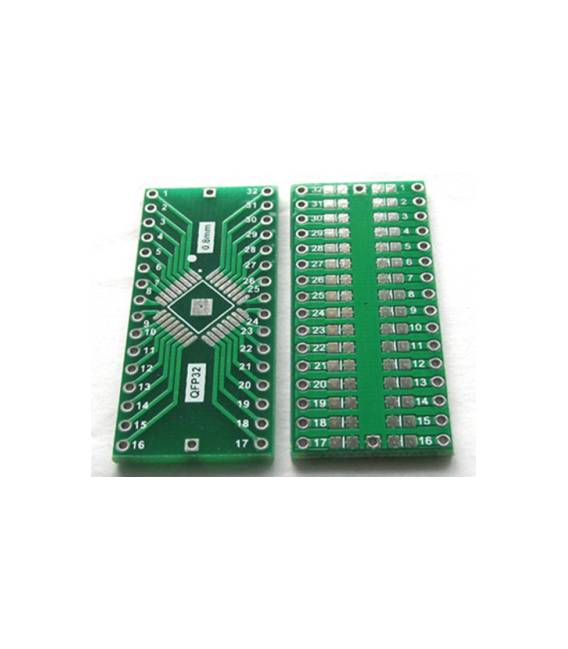
Description
What it is
The QFP32 to DIP32 0.8mm pitch adapter is a component that allows mounting QFP (quad-flat package) components on printed circuit boards designed for DIP (dual-inline package) configurations. This solution facilitates compatibility between different physical configurations of electronic components.
Features
- Format: QFP32 to DIP32
- Pitch: 0.8 mm
What it is for
The adapter is useful for Arduino projects and other types of printed circuit boards where QFP components are desired in a DIP context. It allows makers and designers to easily mount microcontrollers or other devices on PCBs (Printed Circuit Boards) with DIP connectors, making the choice of components more flexible.
Tutorial: How to use 2-piece QFP32 to DIP32 0.8mm pitch adapter
This adapter is necessary to convert components from one format to another, making it easier to mount them on printed circuit boards. Useful for makers and designers working with QFP32 format components and wanting to mount them in DIP32 format.
What you need
- 2-piece adapter from QFP32 to DIP32 pitch 0.8 mm
- QFP32 components
- Connections at 0.8 mm pitch
- Solder
Steps
- Check the datasheet for the specifications of the QFP32 component.
- Draw or print a support for the printed circuit board (PCB) with DIP32 pins.
- Connect the QFP32 pins to the DIP32 pins through the 0.8 mm pitch connections.
- Mount the QFP32 component on the adapter.
- Solder the connections and the component to ensure stability.
- Check the position of the pins to ensure they are correctly aligned.
- Verify the connection and the functionality of the component.
- Test the printed circuit board with an oscilloscope or multimeter.
Mini project
Mount an Arduino UNO microcontroller (DIP32 format) on a printed circuit board with QFP32 components. In 30 minutes you can mount the microcontroller and QFP32 components using the adapter.
Common mistakes
- Do not check the specifications on the datasheet before installation.
- Omit the verification of pin positions.
- Do not solder the connections, making the circuit unstable.
- Do not test the circuit after assembly.
Recommended accessories
- Connections 0.8 mm
- Soldering iron
- PCB support
- Multimeter
Frequently asked questions
Can I use this adapter with QFP64 format components?
Check the datasheet to see if the QFP64 format can be adapted with this adapter.
How long does it take to mount a component?
The mounting time depends on the number of components, but generally it takes 15-30 minutes.
Do I need an oscilloscope to test the circuit?
No, a multimeter is sufficient to test the connection and operation of the component.
Can I use this adapter with BGA format components?
Check the datasheet to see if the adapter supports BGA format components.



Reviews
There are no reviews yet.