 EN
 IT Italiano
 ES Español
 FR Français
 DE Deutsch
Description
What it is
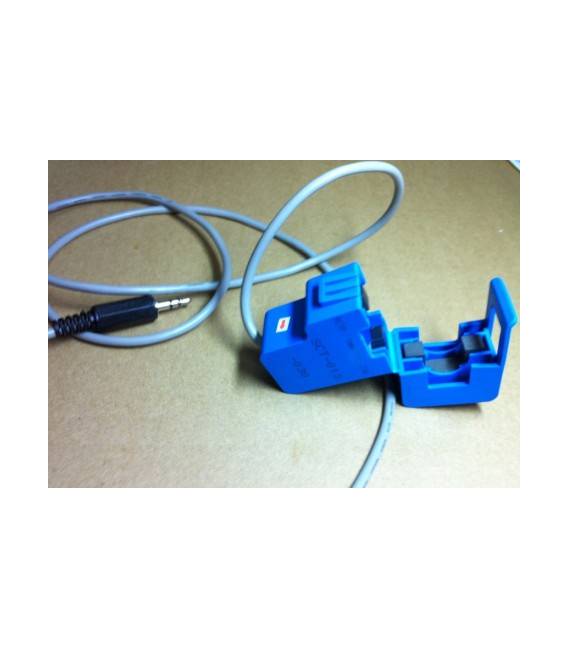
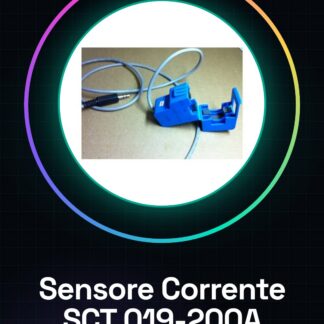
The SCT 019-200A Current Sensor is a non-invasive device designed to measure electrical current in low or high voltage circuits. It is primarily used in energy monitoring projects, energy counters, and industrial environments.
Features
- Measures currents up to 200A
- Non-invasive device
What it is for
Installing the SCT 019-200A sensor in a circuit allows for monitoring and recording the current used by electrical devices. The collected data can be sent to a mobile device or computer for real-time analysis. It is compatible with Arduino, ESP, and other microcontrollers.
Tutorial: How to use SCT 019-200A Current Sensor
The SCT 019-200A current sensor is a non-invasive device that allows measuring electrical current in low or high voltage circuits. It is ideal for energy monitoring projects, energy counters, and control systems.
What you need
- Arduino Uno
- Current Sensor SCT 019-200A
- Connection Cable
Steps
- Connect the SCT 019-200A sensor to the electrical line to be measured without interrupting the current.
- Use the connection cables to connect the sensor output to the Arduino Uno’s analog pin A0.
- Open the Arduino IDE software and upload the following sketch to the microcontroller.
- Monitor the readings in series through the serial monitor console.
- Verify the measured current values with an ammeter to confirm the accuracy of the sensor.
Example code
void setup() {
  Serial.begin(9600);
}

void loop() {
  int sensorValue = analogRead(A0);
  float voltage = (sensorValue * 5.0) / 1023.0;
  float current_mA = voltage / 0.125; // Verifica sul datasheet per la relazione corrente-voltaggio
  Serial.print(current_mA);
  delay(1000);
}
Mini project
Create an energy monitoring system that records and sends the current usage data of an electrical appliance to your smartphone or computer.
Common mistakes
- Incorrect cable connection
- Sensor power supply failure
- Inaccurate sensor calibration
Recommended accessories
- Arduino Uno R3
- USB A-MicroB cable for Arduino
- Digital ammeter
Frequently asked questions
Can the sensor measure negative currents?
Yes, the sensor can detect the direction of the current.
How accurate is this sensor?
Accuracy varies; check the datasheet for detailed specifications.
Reviews
There are no reviews yet.