 EN
 IT Italiano
 ES Español
 FR Français
 DE Deutsch
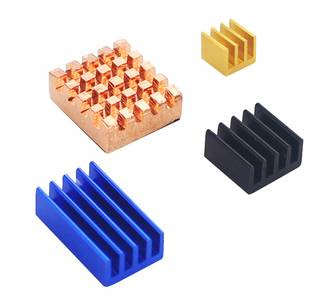
Description
What it is
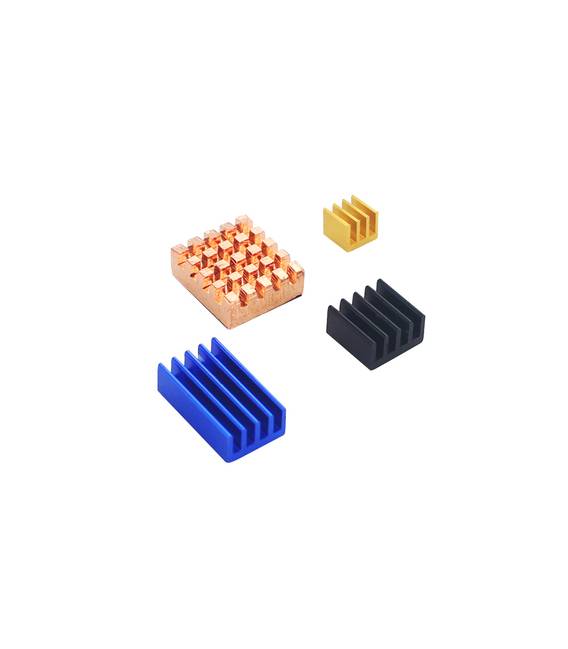
The Copper and Aluminum Heat Sink Kit for Raspberry Pi 4 is a set of four heat sinks designed to improve the heat dissipation of your Raspberry Pi 4. These heat sinks are ideal for users running applications that require high power consumption.
Features
- Kit of 4 pieces
- Materials: copper and aluminum
- Compatible with Raspberry Pi 4
- Check the datasheet for detailed technical specifications
What it is for
Heat sinks are useful for keeping the Raspberry Pi 4 cool and running perfectly, reducing heat and ensuring more stable and safe operation. Ideal for users running applications that require high power consumption.
Tutorial: How to use Copper and Aluminum Heat Sink Kit for Raspberry Pi 4
This heat sink kit is designed to improve the heat dissipation of your Raspberry Pi 4, ensuring a more stable and safe operation. Ideal for users running applications that require high energy consumption.
What you need
- Heat Sink Kit in Copper and Aluminum
- Raspberry Pi 4
- Thermal silicone (check the datasheet)
- Screwdriver or pliers
- Spray can to clean the surface of the Raspberry Pi
- Clean cloth wipes
Steps
- Carefully clean the surface of the Raspberry Pi 4 processor with the spray can and clean wipes.
- Apply a thin strip of thermal silicone on the Raspberry Pi 4 processor, following the instructions on the datasheet.
- Select the heat sink that best fits the size of the processor and position it on the thermal silicone.
- Use the screwdriver or pliers to secure the heat sink to the Raspberry Pi 4.
- Repeat steps 1-4 for any additional heat sinks as needed.
- Check that all heat sinks are securely attached and do not interfere with other components.
- Power on the Raspberry Pi 4 and monitor the processor temperature.
- If necessary, repeat the steps to optimize the heat sink configuration.
Mini project
Install a temperature monitoring software on Raspberry Pi 4 and configure an alarm system to notify when the temperature exceeds a certain limit.
Common mistakes
- Applying too much thermal silicone
- Not securing the heat sinks properly
- Interfering with other components during installation
- Not cleaning the processor surface properly
Recommended accessories
- Thermal silicone (SKU: ARD0011620)
- Tool kit (SKU: ARD0011610)
- Temperature monitoring software (check datasheet)
- Electronic cleaning kit (SKU: ARD0011615)
Frequently asked questions
Why is it important to use thermal silicone?
Thermal silicone reduces the air gap between the processor and the heat sink, improving heat dissipation.
Can I use these heat sinks with other Raspberry Pi models?
Check the datasheet to ensure that the heat sinks are compatible with your Raspberry Pi model.
What tools are needed for installation?
Required: a screwdriver or pliers and an electronic cleaning kit.



Reviews
There are no reviews yet.