 EN
 IT Italiano
 ES Español
 FR Français
 DE Deutsch
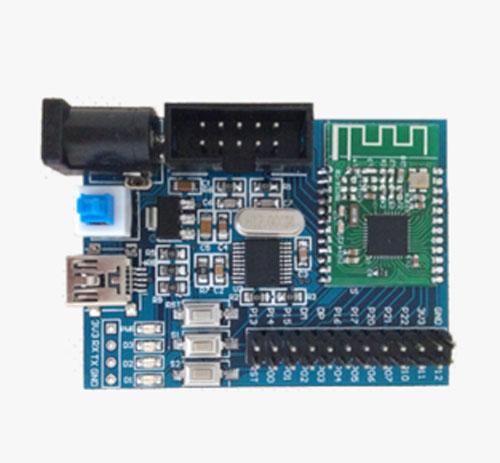
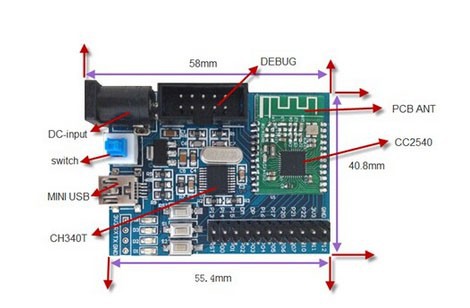
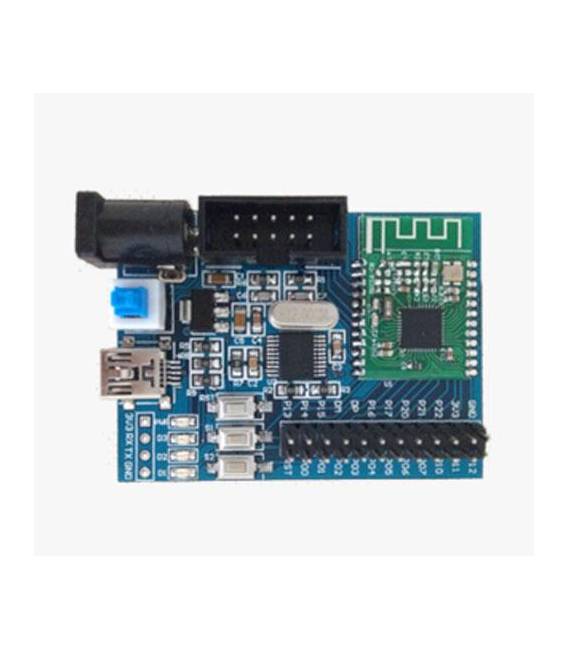
Description
What it is
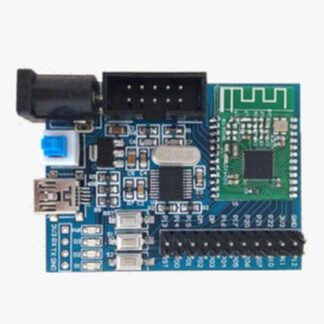
The Bluetooth 4.0 CC2540 BLE Development Board is a module that allows adding Bluetooth 4.0 connectivity to Arduino projects.
Features
- Bluetooth 4.0 Protocol
- CC2540 BLE Chip
- Compatible with Arduino
What it is for
The board enables wireless communication between an Arduino-based electronic device and a smartphone or tablet. It can be used to create applications such as home alarm systems that send notifications to the phone, wireless user interfaces for electronic devices, or sensors that transmit real-time data to a mobile device.
Tutorial: How to Use the CC2540 Bluetooth Development Board
The CC2540 Bluetooth development board is ideal for those who want to create wireless devices with Arduino. It allows data communication between an electronic device and a smartphone or tablet, making wireless user interfaces possible.
What you need
- Arduino Uno
- Development software compatible (e.g. Arduino IDE)
- USB A-MicroB cable
Steps
- Connect the CC2540 module to the laptop or PC via USB cable.
- Install the Arduino BLE library from the development software package manager.
- Load an example sketch provided by the library onto your Arduino Uno connected to the board.
- Open the serial monitor and verify that the data is being sent correctly between the Arduino and the CC2540 board.
Example code
void setup() {
  Serial.begin(9600);
}

void loop() {
  if (Serial.available()) {
    String incoming = Serial.readString();
    BLE.sendData(incoming); // verifica sul datasheet per la funzione corretta
  }
}
Mini project
Create a home alarm system that sends a notification to the phone when a door or window is opened.
Common mistakes
- Error in BLE library installation.
- Problems with the USB connection between the module and the Arduino.
- Incorrect baud rate configuration in the serial monitor.
Recommended accessories
- Arduino Uno
- Arduino BLE library
- USB A-MicroB cable
- Motion sensors
Frequently asked questions
Which devices does the CC2540 module support?
Supports most Android and iOS systems.
How can I control Arduino with an app?
Use a library like BLESerial to send data between Arduino and mobile device.

Reviews
There are no reviews yet.