 EN
 IT Italiano
 ES Español
 FR Français
 DE Deutsch
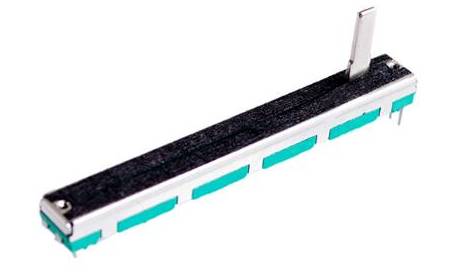
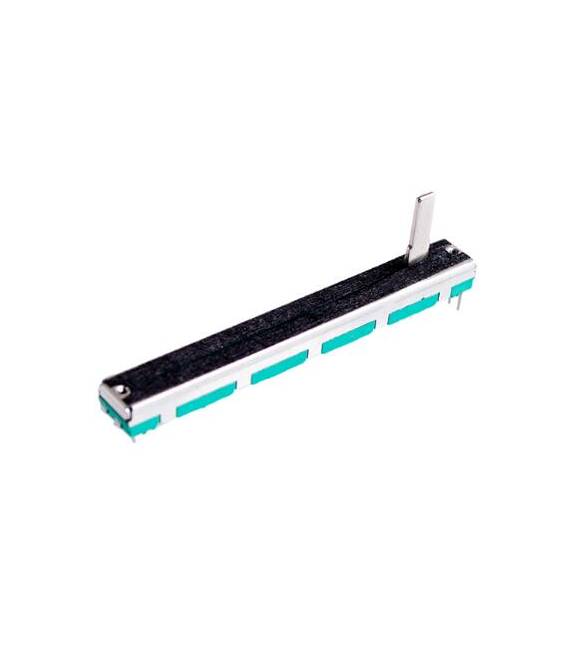
Description
What is it The B20K is a linear dual-channel potentiometer. This electronic component allows you to vary an electrical value, such as resistance, based on the position of a slider. Features Type: Linear Potentiometer Channels: Dual Value: 20kΩ (check datasheet) SKU: ARD0011530 Price: €2.21 What can it be used for The B20K is ideal for controlling the intensity of an LED light, the volume of an audio circuit, or any other function that requires a continuous interface. It is a versatile component for electronics, robotics, and experimentation projects. Compatibility with Arduino and ESP can be verified in the datasheet. Tutorial: How to use B20K Linear Dual Channel Potentiometer The B20K is a dual-channel linear potentiometer ideal for controlling lighting, volume, or any other function that requires a continuous interface. Useful for beginners and intermediate makers. What do you need Arduino or compatible microcontroller Power supply (5V) 10kΩ pull-up resistor Steps 1. Connect the potentiometer to the microcontroller: GND to GND, VCC to 5V, A0 (or A1) to an analog pin. 2. Connect a 10kΩ pull-up resistor between VCC and an analog pin. 3. Upload the following code to Arduino. 4. Use the potentiometer to control the volume of a beeper. 5. Connect a beeper to pin 9 and GND. 6. Check the beeper resistance in the datasheet. 7. Adjust the volume by varying the potentiometer position. 8. Test the interface to ensure it works correctly. Example code “`cpp int potVal = 0; void setup() { Serial.begin(9600); } void loop() { potVal = analogRead(A0); Serial.println(potVal); } “` Mini-project Create a dimmable light that is controlled by the potentiometer. Connect an LED to a digital pin and control the brightness with the potentiometer. Common errors Do not use digital pins to read the potentiometer. Do not connect the pull-up resistor incorrectly. Omit the analog pin configuration. Forget to test the interface. Recommended accessories Buzzer LED 10kΩ resistor Arduino Uno Frequently asked questions The potentiometer is not working? Check the connection and the pull-up resistor. How to adjust the volume? Move the potentiometer and observe the analog value on the Serial Monitor. Which pins to use? Use the analog pins A0 or A1. Does the potentiometer work only with Arduino? It can



Reviews
There are no reviews yet.