 EN
 IT Italiano
 ES Español
 FR Français
 DE Deutsch
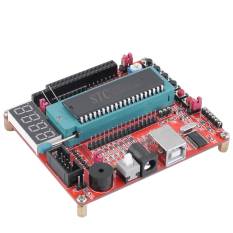
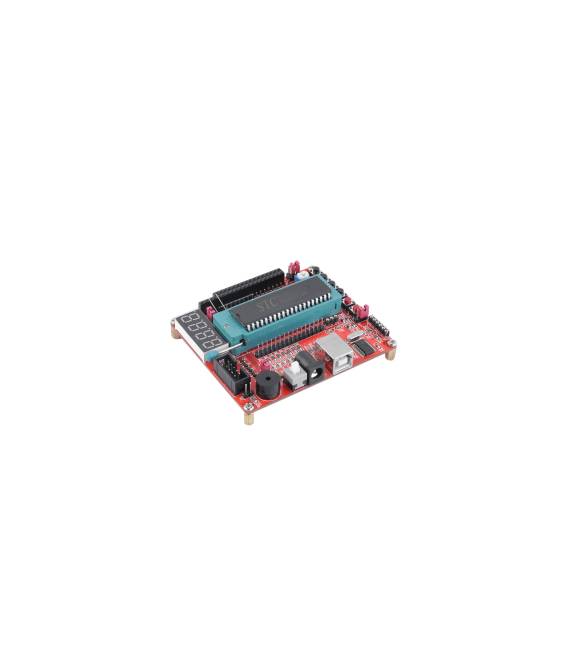
Description
What it is
The 51 / AVR Development Board core MCU STC89C52RC / 51MCU Experiment Board / Learning Board ATMEGA32 is a development board for microcontrollers. It allows programming and testing applications on a core STC89C52RC or ATMEGA32.
Features
- Core MCU STC89C52RC
- Core MCU ATMEGA32
- SKU: ARD0011532
- Price: 11.11 €
What it is for
The board is ideal for experiments and projects with 51 microcontrollers. It can be used to develop simple applications such as a button counter, utilizing functions like ‘digitalWrite’ and ‘digitalRead’.
Tutorial: How to use 51 / AVR Development Board core MCU STC89C52RC / 51MCU Experiment Board / Learning Board ATMEGA32
This board allows you to develop and test your programs on a STC89C52RC or ATMEGA32 microcontroller. Ideal for beginners and intermediate designers.
What you need
- PC with Windows or Linux operating system
- USB cable
- Arduino IDE
- Check the datasheet for detailed specifications
Steps
- 1. Download and install Arduino IDE.
- 2. Connect the board to the PC with the USB cable.
- 3. Select the STC89C52RC or ATMEGA32 board in the ‘Tools > Board’ menu.
- 4. Choose ‘STC89C52RC’ or ‘ATMEGA32’ in the ‘Tools > Programmer’ menu.
- 5. Load the source code into Arduino IDE.
- 6. Click ‘Upload’ to load the code onto the microcontroller.
- 7. Verify the correct execution of the code.
- 8. Modify the code and repeat steps 5-7.
Example code
void setup() {} void loop() {}Mini project
Create a simple button counter using the ‘digitalWrite’ and ‘digitalRead’ functions.
Common mistakes
- Forget to connect the USB cable correctly.
- Choose the wrong board in the ‘Tools > Board’ menu.
- Do not wait long enough for the code to load.
- Omit to verify the correct execution of the code.
Recommended accessories
- Push button
- 10kΩ resistor
- LED
- Multimeter
Frequently asked questions
How can I verify the correct execution of the code?
Observe the behavior of the LED or button.
Which specifications should I check on the datasheet?
Charging time, oscillation frequency, I/O pins.
Can I use this board for other microcontrollers?
Check if the board supports other microcontrollers.
What are the minimum requirements for the PC?
Windows 7 or later, Linux 2.6.32 or later.



Reviews
There are no reviews yet.