 EN
 IT Italiano
 ES Español
 FR Français
 DE Deutsch
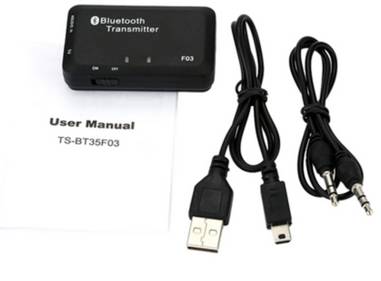
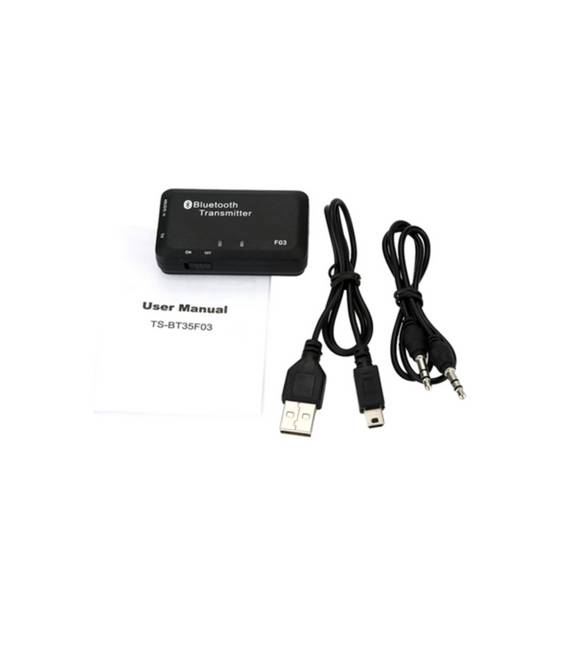
Description
What it is
The TS-BT35F03 is a Bluetooth A2DP receiver that allows you to connect your TV or subwoofer to Bluetooth devices via a 3.5mm jack. It offers a simple and direct wireless audio experience.
Features
- Bluetooth Protocol: 4.0
- A2DP Standard
- Frequency: 2.4 GHz
- Connection: 3.5mm Jack
What it is for
The TS-BT35F03 is ideal for connecting your TV or subwoofer to smartphones, tablets, or computers to listen to music or wireless audio. For example, you can use the TS-BT35F03 to listen to music from your smartphone on your subwoofer.
Tutorial: How to use TS-BT35F03
The TS-BT35F03 is a Bluetooth A2DP receiver for easily connecting your TV or subwoofer to Bluetooth devices. It is perfect for beginners and makers who want a wireless audio connection.
What you need
- TS-BT35F03
- Bluetooth Device (e.g., smartphone, tablet)
- 3.5mm audio cable
- TV or subwoofer with 3.5mm audio input
Steps
- 1. Ensure that the TS-BT35F03 Bluetooth receiver is correctly paired with your Bluetooth device.
- 2. Connect the 3.5mm audio cable to the TS-BT35F03 receiver.
- 3. Connect the 3.5mm audio cable to the audio input of your TV or subwoofer.
- 4. Activate the Bluetooth audio function on your device.
- 5. Select the TS-BT35F03 Bluetooth connection.
- 6. Tune your device to the A2DP audio channel.
- 7. Try playing audio from your Bluetooth device.
- 8. Check the datasheet for further settings.
Mini project
Connect the TS-BT35F03 to a smartphone and listen to music on your subwoofer. It takes about 15 minutes.
Common mistakes
- Do not correctly pair the Bluetooth receiver.
- Connect the 3.5mm audio cable incorrectly.
- Do not activate the A2DP audio function on the Bluetooth device.
- Do not correctly select the Bluetooth connection on the device.
Recommended accessories
- 3.5mm audio cable
- Subwoofer
- Smartphone or tablet
- TV with 3.5mm audio input
Frequently asked questions
Can I use this Bluetooth receiver with any Bluetooth device?
Yes, but make sure the device supports A2DP connection.
Does the Bluetooth receiver need external power?
No, the receiver is powered by the connected Bluetooth device.
Can I use this receiver with a computer?
Yes, but check if the computer supports Bluetooth audio A2DP connection.
Does the Bluetooth receiver have a range of operation?
The range of operation is approximately 10 meters.



Reviews
There are no reviews yet.